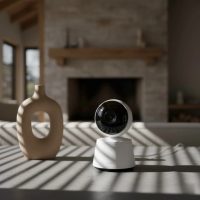
Welcoming a new baby into your home is a whirlwind of joy, wonder, and, let’s be honest, a little bit of anxiety. As a content creator for Wocrt.com with over a decade of experience diving deep into the world of child supervision products, I understand that peace of mind is priceless. That’s where a reliable baby monitor comes in, and VTech has long been a household name parents trust. This guide will help you navigate the diverse world of VTech baby monitors, ensuring you choose, set up, and use the perfect one to keep your little one safe and sound, day and night.

Why Choose a VTech Baby Monitor for Your Nursery?
VTech has earned its reputation in the baby care market by consistently delivering innovative and user-friendly monitoring solutions. Their commitment extends beyond just showing you a picture or playing a sound; it’s about providing a secure and reliable connection to your child. Many of their audio monitors, for instance, utilize DECT 6.0 digital technology, ensuring your connection is protected against eavesdropping and interference, offering true privacy that modern parents value. With a wide array of options, from simple audio-only devices to sophisticated smart video monitors, VTech aims to meet the unique needs of every family, ensuring robust performance and peace of mind.
Understanding VTech Baby Monitor Types
VTech offers a versatile lineup of baby monitors, each designed with specific functionalities to cater to different parental preferences and living situations. Knowing the distinctions can help you pick the perfect fit.
Digital Audio Monitors: Simple, Secure Connection
For parents who prioritize simplicity and crystal-clear sound, VTech’s digital audio monitors are an excellent choice. Models like the VTech DM221 Safe & Sound Digital Audio Baby Monitor are celebrated for their reliable audio transmission, thanks to DECT 6.0 technology. This technology ensures a secure, private connection, free from interference. These monitors typically feature two-way talk, sound sensitivity indicators, and impressive range, allowing you to hear every coo and cry without the visual component.
Traditional Video Monitors (Non-Wi-Fi): Visual Peace of Mind
Stepping up from audio-only, VTech’s traditional video monitors offer a dedicated parent unit with a screen, providing both visual and auditory monitoring without relying on your home Wi-Fi network. The VTech VM5254 and VM819 are popular examples. These units boast features like automatic infrared night vision, allowing clear viewing in dark rooms, and two-way talk, so you can soothe your baby with your voice remotely. Many also include built-in lullabies and temperature sensors, adding layers of comfort and safety directly through the parent unit. Their robust 1,000-foot range is often a standout feature, ideal for larger homes or outdoor use.
Smart Wi-Fi Video Monitors: Connected Monitoring, Anywhere
|
Our Picks for the Best Baby Monitor in 2026
As an Amazon Associate I earn from qualifying purchases.
|
||
| Num | Product | Action |
|---|---|---|
| 1 | HelloBaby No WiFi Baby Monitor 5\" Screen 30-Hour Battery Pan-Tilt-Zoom Video Upgrade with Camera and Audio, Night Vision, VOX, 2-Way Talk, 8 Lullabies and 1000ft Range, HB6550 |

|
| 2 | Jartoo 2K 5.5\" Video Baby Monitor with Camera and Audio,AI Cry Detect 1860ft Long Range Baby Monitor No WiFi Baby Camera Wireless,Clear Night Vision,ANC, 2-Way Talk,White Noise,6000mAh [2025 New] |
|
| 3 | HelloBaby Upgrade 5’’ Baby Monitor with 30-Hour Battery, 2 Cameras Pan-Tilt-Zoom, 1000ft Range Video Audio Baby Monitor No WiFi, VOX, Night Vision, 2-Way Talk, 8 Lullabies and Temperature |
|
| 4 | Baby Car Camera for Kids - 5\" 1080P IPS Suction Cup Monitor, 120° Wide-Angle & 360° Rotatable, IR Night Vision Easy Installation Backseat |
|
| 5 | VTech Upgraded Audio Baby Monitor with Rechargeable Battery, Long Range, and Crystal-Clear Sound |
|
| 6 | HelloBaby 6\'\' World First IPS 30H Battery Split-Screen Video Baby Monitor with Camera and Audio, No WiFi, Pan-Tilt-Zoom, VOX, 2-Way Talk, Night Vision, 8 Lullabies, 1000ft, for New Parents/Elderly |
|
| 7 | HelloBaby 4.3\'\' Video Baby Monitor with 30 Hours Battery, Remote Pan-Tilt-Zoom Baby Monitor No WiFi, Baby Monitor with Camera and Audio, Night Vision, ECO Mode, Two-way Talk, 8 Lullabies, 1000ft Range |
|
| 8 | VTech VM819 Baby Monitor with Camera and Audio, 2.8” Screen Portable Baby Camera, Night Vision, 2-Way Audio, Temperature Sensor and Lullabies, Secure Transmission No WiFi, Ideal for Baby/Elderly/Pet |
|
| 9 | HelloBaby Baby Monitor 6\" World First IPS Screen 30H Battery, Secure No WiFi, Pan Tilt Video Camera with Night Vision, VOX, 2-Way Talk, 1000ft, Portable Video Audio Monitor Ideal for Mom, Elderly, Pet |
|
| 10 | Baby Monitor with Camera and Audio, Video Baby Monitor No WiFi Night Vision 2.4\" LCD Screen Portable Baby Camera Monitor Alarm Lullaby Temperature Sensor and 1000ft, Ideal for Baby/Elderly/Pet |
|
For the tech-savvy parent, VTech’s smart Wi-Fi video monitors, such as the VTech RM5754HD and certain versions of the VM5254/VM5254-2, integrate seamlessly with your smartphone. These models often stream in 1080p high definition, offering superior video clarity and a wider field of view. The key differentiator is the accompanying mobile app, which allows you to stream video, zoom in, take snapshots, record clips, and even talk to your baby from virtually anywhere with an internet connection. They also provide sound alerts directly to your phone, ensuring you’re always in the loop.
Key Features to Look for in a VTech Baby Monitor
When choosing a VTech baby monitor, certain features stand out as essential for comprehensive baby care.
- Crystal Clear Video & Night Vision: Look for models offering HD resolution for sharper images, especially if you plan to zoom in. All VTech video monitors come with automatic infrared night vision, but newer models like the RM5754HD offer particularly clear low-light performance, making it easier to see your baby without disturbing their sleep.
- Exceptional Range & Connectivity: A strong signal range is crucial. Many VTech monitors advertise up to 1,000 feet (304 meters) of range, enabling you to move freely around your home and even into the yard without losing connection. For Wi-Fi models, ensure your home network can support a stable 2.4 GHz connection for optimal performance.
- Two-Way Talk: This invaluable feature allows you to speak through the parent unit or app directly to your baby via the camera, providing comfort and reassurance with your voice.
- Temperature Monitoring: An integrated temperature sensor ensures your baby’s room stays within a safe and comfortable range. The parent unit will display the room temperature, and some models even alert you if it goes outside a preset range.
- Lullabies & Soothing Sounds: Many VTech monitors include built-in lullabies and gentle sounds that can be activated remotely from the parent unit, helping to soothe your baby back to sleep.
- Sound Activation (VOX Mode): This intelligent feature automatically turns on the parent unit screen or sends an alert when your baby makes a sound, conserving battery life and preventing unnecessary screen glow at night.
- Multi-Camera Support: If you have twins, multiple children, or want to monitor different angles of the nursery, models like the VM5254-2 (which comes with two cameras) allow you to easily switch between views or even display them in a split-screen mode.
- Mobile App Integration: For Wi-Fi models, the VTech 1080p app offers unparalleled flexibility, allowing you to monitor your baby from your smartphone or tablet, share access with family members, and receive sound notifications directly to your device.
Choosing the Right VTech Baby Monitor for Your Family
Selecting the ideal VTech baby monitor depends on your specific lifestyle, budget, and priorities. As an expert, I always advise parents to consider a few key questions:
- What’s your budget? VTech offers options across various price points, from affordable audio monitors to premium smart video systems.
- Do you need remote access? If you want to check on your baby while you’re at work or out for an evening, a Wi-Fi enabled smart monitor with app integration is essential. If you only need to monitor from within your home, a traditional video or audio monitor might suffice.
- How large is your home? If you have a sprawling house or plan to spend time outdoors while your baby sleeps, prioritizing a monitor with excellent range is paramount.
- What features are non-negotiable? Is crystal-clear video a must-have, or is reliable audio enough? Do you need lullabies, temperature sensors, or multi-camera support? Make a list of your top priorities.
- Security vs. Convenience: While Wi-Fi monitors offer convenience, some parents prefer non-Wi-Fi models (like those using DECT 6.0) for a completely closed and secure system, alleviating concerns about internet security.
By answering these questions, you can narrow down your choices and find the VTech baby monitor that perfectly aligns with your family’s needs.
Setting Up Your VTech Baby Monitor: A Step-by-Step Guide
Setting up your VTech baby monitor is typically a straightforward process, designed to get you monitoring quickly. Here’s a general guide to get started:
- Unpack and Charge: Remove all components from the box. Plug in the parent unit and allow its rechargeable battery to fully charge, which can take up to 12 hours for the initial charge.
- Position the Baby Unit (Camera): Place the baby unit at least 3 feet (1 meter) away from your baby’s crib or playpen. Ensure it’s out of reach of tiny hands and has a clear, unobstructed view of your baby. Angle the camera to capture the best view. To avoid interference, position the baby unit at least 3 feet (1 meter) away from other electronic devices like wireless routers, microwaves, and cell phones.
- Power On: Connect the baby unit to a power outlet using the provided AC adapter. The unit should turn on automatically. Then, power on your parent unit by pressing and holding its power button.
- Pairing: Most VTech monitors will automatically link the parent and baby units upon power-up. If you have multiple cameras or need to re-pair, consult your specific model’s manual for instructions. For Wi-Fi models, you’ll typically download the VTech 1080p app and follow the on-screen prompts to connect the camera to your home Wi-Fi network and your smartphone.
- Adjust Settings: Once linked, customize settings on your parent unit. Adjust the speaker volume (VTech units usually have a default level of 3 out of 5), LCD brightness, and VOX (sound sensitivity) levels to suit your preferences. If you have a temperature sensor, ensure it’s positioned away from the camera’s heat output for accurate readings.
Remember, always use only the original VTech power supplies provided with your monitor to ensure proper voltage and prevent damage.
Troubleshooting Common VTech Baby Monitor Issues
Even the most reliable technology can sometimes hit a snag. As an expert at Wocrt.com, I’ve heard it all! Here are quick solutions for common VTech baby monitor problems:
- “No Link” or “Out of Range” Messages:
- Solution: Move the parent unit closer to the baby unit. Walls, large metallic objects, and other Wi-Fi devices can weaken the signal. Ensure both units are powered on and connected to working electrical outlets. Try resetting both units by unplugging them for a few seconds, removing batteries (if applicable), then reconnecting power and turning them back on. Allow up to a minute for them to re-synchronize.
- Audio Drops, Static, or Interference:
- Solution: First, confirm the parent unit’s volume isn’t muted or too low. Check battery levels, as low power can affect audio stability. Ensure the antenna is upright and fully extended. VTech monitors often operate on the 2.4 GHz frequency, which can conflict with other household electronics like Wi-Fi routers and microwaves. Keep your monitor at least 3 feet (1 meter) away from these devices. Adjust the VOX (sound sensitivity) setting; if it’s too low, faint sounds might not activate the monitor, and if too high, it might pick up excessive background noise.
- Poor Video Quality or Night Vision:
- Solution: Ensure the camera lens is clean and free from obstructions. In night vision mode, grainy images can sometimes occur; if you have a VTech RM5754HD, expect clearer night vision than on models like the VM5254. Check ambient lighting; sometimes too little or too much light can affect clarity.
- Battery Life Issues (Parent Unit):
- Solution: Remember that the parent unit’s battery is designed for portable use, not continuous monitoring for extended periods. For continuous monitoring, keep it plugged into AC power. If the battery is older than a year, its capacity may have diminished, and replacement might be needed. Ensure the initial charge was a full 12 hours.
- Inaccurate Temperature Readings:
- Solution: The baby unit’s temperature sensor is highly sensitive to its immediate environment. Ensure the camera is not placed near heat sources (heaters, direct sunlight) or cold drafts (windows, air conditioning). For models with internal sensors, the camera’s electronics can sometimes generate heat, causing slightly higher readings. Try power cycling both units. If persistent, a factory reset might help, but always consult the user manual for specific recalibration steps if available.
- Unit Not Turning On:
- Solution: Verify that the power adapter is securely plugged into both the monitor unit and a working electrical outlet. Confirm the outlet isn’t controlled by a wall switch that’s off. Ensure the battery is correctly installed (if removable) and charged. For a complete system reboot, disconnect power from both units, remove batteries, wait a few seconds, then reconnect and power back on. Some models also have a small reset pinhole on the back that can be pressed with a paperclip for a factory reset.
Expert Tips from Wocrt.com for Optimal Monitoring
At Wocrt.com, we believe that informed parents are empowered parents. Here are a few extra tips from my years in the field to help you get the most out of your VTech baby monitor:
- Regularly Test Your Monitor: Make it a habit to test your monitor before each nap or bedtime. This quick check ensures everything is functioning correctly, giving you confidence and preventing surprises.
- Keep Firmware Updated: For Wi-Fi enabled VTech monitors, regularly check for firmware updates through the accompanying app. Updates often include performance improvements, bug fixes, and enhanced security features.
- Prioritize Secure Placement: Beyond just camera angle, think about cable management. Always secure power cords out of your baby’s reach to eliminate strangulation hazards. Never place the baby unit inside the crib or playpen.
- Understand Signal Interference: Be mindful of other electronic devices operating on the 2.4 GHz band in your home. Experiment with placing your baby monitor further away from Wi-Fi routers, microwaves, and cordless phones if you experience connectivity issues.
- Don’t Rely Solely on the Monitor: While a VTech baby monitor is an invaluable tool, it’s an aid, not a substitute for proper adult supervision. Always maintain a safe sleep environment and conduct regular in-person checks on your little one.
Frequently Asked Questions (FAQ)
How far can a VTech baby monitor reach?
Many VTech baby monitors, especially the traditional video and audio models, advertise an outdoor range of up to 1,000 feet (304 meters). Indoor range will be less due to walls and obstructions, but they typically provide excellent coverage for most homes.
Do VTech baby monitors use Wi-Fi?
VTech offers both non-Wi-Fi and Wi-Fi enabled baby monitors. Traditional audio and video monitors use a secure, closed system (like DECT 6.0 technology) that does not require Wi-Fi. Smart video monitors, such as the RM5754HD, use your home Wi-Fi to connect to a mobile app for remote viewing and smart features.
How do I reset my VTech baby monitor?
To perform a soft reset, disconnect the power from both the baby and parent units, remove any batteries (if applicable), wait a few seconds, then reconnect power and turn them back on. Allow up to one minute for them to re-synchronize. For a factory reset, some models have a small pinhole reset button or a menu option on the parent unit; refer to your specific model’s user manual for detailed instructions.
Can I add more cameras to my VTech monitor?
Many VTech video baby monitor systems are expandable, meaning you can add additional cameras to monitor multiple rooms or angles. Models often come with a “-2” suffix (e.g., VM5254-2) indicating they support two cameras. Check your specific model’s specifications for expandability.
What does VOX mean on a VTech baby monitor?
VOX stands for “Voice Operated eXchange” or sound activation. This feature means the parent unit screen will automatically turn on, or an alert will be triggered, when the baby unit detects sound above a certain sensitivity level. It helps conserve battery life and ensures you’re only alerted when needed.
Conclusion
Choosing a VTech baby monitor means investing in reliable technology designed to bring you peace of mind. With over a decade of hands-on experience at Wocrt.com, I can confidently say that VTech’s diverse range, from secure audio monitors to advanced smart video systems, offers something for every parent. By understanding the different types, key features, and simple troubleshooting steps, you can confidently select and optimize your VTech baby monitor, ensuring your little one is always safe and sound. Embrace the journey of parenthood with the assurance that a trusted VTech monitor is by your side, allowing you to enjoy those precious moments knowing your baby is well-monitored.
Smart home that does not lock you in
Free PDF — protocol compatibility matrix for 30 hubs and devices.