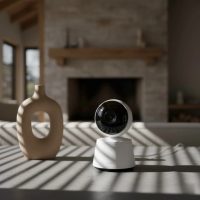
As a parent, the desire to keep a watchful eye on your little one is constant. In today’s smart nursery, the “Nanit monitor screen” isn’t just one thing; it’s a versatile ecosystem designed to give you peace of mind, whether you prefer a dedicated device or the flexibility of your smartphone. For over a decade, my work at Wocrt.com has been dedicated to helping families navigate these choices, and Nanit has truly pushed the boundaries of what a baby monitor can be.

At its core, the Nanit system pairs a high-definition camera with intelligent software, delivering crucial insights directly to your chosen display. This comprehensive guide will walk you through all the ways you can view your baby’s world, from Nanit’s newest dedicated screen to the robust Nanit app on your mobile device and beyond.
The Nanit Home 8” Display: A Dedicated Screen for Peace of Mind
For many parents, a standalone screen is essential for hassle-free, at-home monitoring. Nanit listened, and their answer is the Nanit Home 8” Display, a sleek, dedicated touchscreen that works seamlessly with your Nanit Pro Baby Monitor. It’s a game-changer for those moments when you want to keep your phone free or simply prefer a static, reliable viewing station.
What is the Nanit Home Display?
The Nanit Home Display is an 8-inch Full HD (1200×1920) touchscreen that acts as a dedicated companion for your Nanit Pro Camera. It provides a crystal-clear live stream of your baby’s nursery, designed specifically for convenient viewing around your home. Setting it up is a breeze, allowing you to access many beloved Nanit features within minutes.
Key Features of the Nanit Home Display
This dedicated Nanit monitor screen brings several functionalities you’ll appreciate:
- Crystal-Clear 1080p HD Video: Enjoy a sharp, vibrant view of your baby, even in the darkest of rooms thanks to enhanced night vision.
- Two-Way Audio: Speak to and soothe your baby directly through the display, allowing for comforting interaction without entering the nursery.
- Multi-Camera Support & Split Screen: If you have more than one Nanit camera, the Home Display allows you to stream views from two rooms at once using its split-screen capability.
- Real-Time Notifications: Stay informed with customizable alerts for sound, motion, crying, or coughing, ensuring you know immediately when your baby needs attention.
- Breathing Motion Monitoring: When paired with Nanit Breathing Wear, the display can show your baby’s breathing movements without any sensors or wires on the baby.
- Portability: Its design allows for easy movement from room to room, giving you flexibility while you’re at home.
Benefits of a Dedicated Nanit Screen
|
Our Picks for the Best Baby Monitor in 2026
As an Amazon Associate I earn from qualifying purchases.
|
||
| Num | Product | Action |
|---|---|---|
| 1 | VTech Upgraded Audio Baby Monitor with Rechargeable Battery, Long Range, and Crystal-Clear Sound |

|
| 2 | HelloBaby Upgrade 5’’ Baby Monitor with 30-Hour Battery, 2 Cameras Pan-Tilt-Zoom, 1000ft Range Video Audio Baby Monitor No WiFi, VOX, Night Vision, 2-Way Talk, 8 Lullabies and Temperature |
|
| 3 | VTech VM819 Baby Monitor with Camera and Audio, 2.8” Screen Portable Baby Camera, Night Vision, 2-Way Audio, Temperature Sensor and Lullabies, Secure Transmission No WiFi, Ideal for Baby/Elderly/Pet |
|
| 4 | Jartoo 2K 5.5\" Video Baby Monitor with Camera and Audio,AI Cry Detect 1860ft Long Range Baby Monitor No WiFi Baby Camera Wireless,Clear Night Vision,ANC, 2-Way Talk,White Noise,6000mAh [2025 New] |
|
| 5 | HelloBaby 6\'\' World First IPS 30H Battery Split-Screen Video Baby Monitor with Camera and Audio, No WiFi, Pan-Tilt-Zoom, VOX, 2-Way Talk, Night Vision, 8 Lullabies, 1000ft, for New Parents/Elderly |
|
| 6 | HelloBaby Baby Monitor 6\" World First IPS Screen 30H Battery, Secure No WiFi, Pan Tilt Video Camera with Night Vision, VOX, 2-Way Talk, 1000ft, Portable Video Audio Monitor Ideal for Mom, Elderly, Pet |
|
| 7 | HelloBaby No WiFi Baby Monitor 5\" Screen 30-Hour Battery Pan-Tilt-Zoom Video Upgrade with Camera and Audio, Night Vision, VOX, 2-Way Talk, 8 Lullabies and 1000ft Range, HB6550 |
|
| 8 | Baby Car Camera for Kids - 5\" 1080P IPS Suction Cup Monitor, 120° Wide-Angle & 360° Rotatable, IR Night Vision Easy Installation Backseat |
|
| 9 | Baby Monitor with Camera and Audio, Video Baby Monitor No WiFi Night Vision 2.4\" LCD Screen Portable Baby Camera Monitor Alarm Lullaby Temperature Sensor and 1000ft, Ideal for Baby/Elderly/Pet |
|
| 10 | HelloBaby 4.3\'\' Video Baby Monitor with 30 Hours Battery, Remote Pan-Tilt-Zoom Baby Monitor No WiFi, Baby Monitor with Camera and Audio, Night Vision, ECO Mode, Two-way Talk, 8 Lullabies, 1000ft Range |
|
Having a separate Nanit monitor screen offers distinct advantages. It means no more constantly checking your phone, freeing up your mobile device for other tasks. This hands-free approach reduces screen time on your personal phone, preserves its battery, and minimizes distractions from incoming calls or notifications that could interrupt your baby monitoring. For grandparents or other caregivers, a dedicated display provides straightforward access without needing to download apps or use personal devices.
“The Nanit Home Display really bridges the gap for parents who love the smart features of an app-based monitor but still crave the instant, no-fuss access of a traditional screen,” says Dr. Emily Parker, a child development specialist and Wocrt.com contributor.
Your Smartphone or Tablet: The Versatile Nanit App
Before the Nanit Home Display, the Nanit app on your smartphone or tablet was, and remains, the primary “Nanit monitor screen” for most families. It’s a powerful, all-in-one nursery control center that keeps you connected from anywhere in the world, not just your home. [cite: 2 (from first search)]
The Power of the Nanit App
The free Nanit app (available for iOS and Android) is packed with features that go beyond a simple video feed:
- Live Stream with Full Screen View: Get a real-time, 1080p HD video of your baby’s crib. You can tap anywhere on the live video feed to switch to full-screen mode. [cite: 3 (from second search)]
- Comprehensive Sleep Tracking & Insights: Access detailed sleep analysis, including Night Score, Sleep Efficiency, and developmental milestone tracking (with an Insights Plan). [cite: 2 (from second search)]
- Breathing Motion Monitoring: Track your baby’s breathing movements in real time using Nanit Breathing Wear, with data displayed directly in the app. [cite: 2 (from second search)]
- Temperature & Humidity Tracking: Monitor the nursery’s environment to ensure optimal sleep conditions. [cite: 3 (from second search)]
- Smart Alerts: Receive customizable notifications for sound, motion, cry detection, baby standing, and even when your child is out of bed (with Insights Plans). [cite: 2 (from second search)]
- Two-Way Audio: Communicate with your baby or play soothing white noise and nature sounds directly through the app. [cite: 2 (from second search)]
- Full Video History & Memories: Access recorded video clips of events and auto-captured memories of your baby’s milestones (with Insights Plans). [cite: 2 (from second search)]
How the Nanit App Enhances Monitoring
The Nanit app turns your mobile device into a portable command center. It offers the flexibility to monitor your baby while you’re out for groceries, at work, or simply in another room. The in-depth analytics and personalized insights help you understand your baby’s sleep patterns and habits, providing valuable data to promote healthier sleep. With multi-user access, you can easily share viewing permissions with family and trusted caregivers, customizing their access levels. [cite: 4 (from first search)]
Optimizing Your Device for Nanit App Viewing
To make the most of your phone or tablet as a “Nanit monitor screen,” consider these tips:
- Dedicated Device: If possible, use an older smartphone or tablet solely as a baby monitor to avoid battery drain on your primary device and minimize interruptions.
- Night Mode: Many devices offer a “night mode” or “do not disturb” feature that can dim the screen and silence notifications during overnight monitoring, allowing you to check the feed without disruptive bright lights. [cite: 4 (from second search)]
- Picture-in-Picture: For Android and iOS users, the Nanit app supports Picture-in-Picture mode, allowing you to multitask on your phone while keeping an eye on your baby’s live feed in a small, movable window. [cite: 2 (from second search)]
Expanding Your View: Nanit on Other Smart Displays and Web App
Nanit understands that modern parenting happens across a variety of devices. Beyond their dedicated display and your smartphone, there are other ways to expand your Nanit monitor screen experience.
Smart Home Integration
For seamless integration into your smart home, Nanit Pro cameras can stream to popular smart displays like the Google Nest Hub and Amazon Echo Show. [cite: 2 (from second search)] This means you can simply ask your voice assistant to “Hey Google, show me the nursery” or “Alexa, show me Nanit” and instantly see your baby’s feed on a larger screen. This hands-free convenience is perfect for busy parents juggling multiple tasks around the house.
The Nanit Web App
For those who prefer monitoring from a computer, Nanit offers a live webstreaming option via my.nanit.com. [cite: 2 (from second search)] By logging into your Nanit account, you can view your camera’s live stream in a thumbnail or full-screen mode, complete with audio. This is particularly useful for parents working from home or who want a larger, stable view without tying up a mobile device.
Using Third-Party Tablets
Many parents also opt to repurpose an old iPad or an affordable Amazon Fire tablet as a dedicated, stationary Nanit monitor screen. [cite: 5 (from first search)] This provides a cost-effective way to have a permanent display in a common area like the kitchen or living room, ensuring constant visibility without the need to purchase the Nanit Home Display. Users often report positive experiences using refurbished iPads for this purpose. [cite: 5 (from first search)]
Choosing Your Ideal Nanit Monitor Screen Experience
With so many options, how do you decide which “Nanit monitor screen” setup is best for your family? It really boils down to your lifestyle, preferences, and how you envision monitoring your baby.
Factors to Consider
- Convenience vs. Portability: Do you need constant, easy access at home, or do you prioritize monitoring on the go?
- Budget: The Nanit Home Display is an additional investment, while using your existing smartphone or a repurposed tablet can be more economical.
- Desired Features: While the app offers the fullest suite of Nanit’s smart features and insights, the Home Display provides core monitoring in a dedicated format.
- Household Dynamics: For multiple caregivers or shared monitoring, a dedicated screen can offer easier access than coordinating app logins on personal phones.
Dedicated Screen vs. App-Centric: Making the Right Choice
If you’re looking for a “traditional” baby monitor experience with a modern twist, where a dedicated screen sits on your bedside table or kitchen counter, the Nanit Home 8” Display is an excellent choice. It offers reliability and ease of use without phone distractions. [cite: 3 (from first search)]
However, if you thrive on detailed insights, global access, and integrating monitoring into your existing smart devices, the Nanit app on your smartphone or tablet provides unmatched versatility and analytical power. Many parents find this a complete solution, especially with features like Picture-in-Picture and background audio.
Troubleshooting Common Nanit Monitor Screen Issues
Even the most advanced technology can encounter occasional hiccups. Here are some common issues and how to resolve them for your Nanit monitor screen:
Connectivity Problems
- Wi-Fi Reliability: Nanit cameras rely on a stable Wi-Fi connection. Ensure your home Wi-Fi is strong and that your camera and viewing device are within range of your router. If your internet goes down, the Nanit system will not be able to stream unless you are using a dedicated monitor that supports local streaming (which is not a primary feature for Nanit’s app-based system).
- Camera Pairing: If your screen isn’t showing a feed, double-check that your Nanit Pro Camera is properly powered on, connected to Wi-Fi, and correctly paired with your account and viewing device (Nanit Home Display or app). [cite: 1, 2 (from first search)]
App Performance and Device Compatibility
- App Updates: Always ensure your Nanit app is updated to the latest version to benefit from bug fixes and new features.
- Device System Requirements: Verify that your smartphone or tablet meets the minimum system requirements for the Nanit app for optimal performance.
- Background App Refresh: For continuous monitoring, ensure the Nanit app is allowed to run in the background on your phone, especially if you rely on background audio.
Conclusion
The “Nanit monitor screen” experience has evolved significantly, offering parents unparalleled flexibility and advanced features to watch over their little ones. Whether you opt for the convenience of the dedicated Nanit Home 8” Display, the comprehensive power of the Nanit app on your mobile device, or integration with your smart home displays, Nanit provides solutions tailored to diverse parenting needs. By understanding these options, you can choose the Nanit monitor screen setup that best fits your lifestyle, ensuring you stay connected to your baby with confidence and peace of mind. Embrace the smart nursery, and enjoy the journey of parenthood with Nanit by your side.
Smart home that does not lock you in
Free PDF — protocol compatibility matrix for 30 hubs and devices.