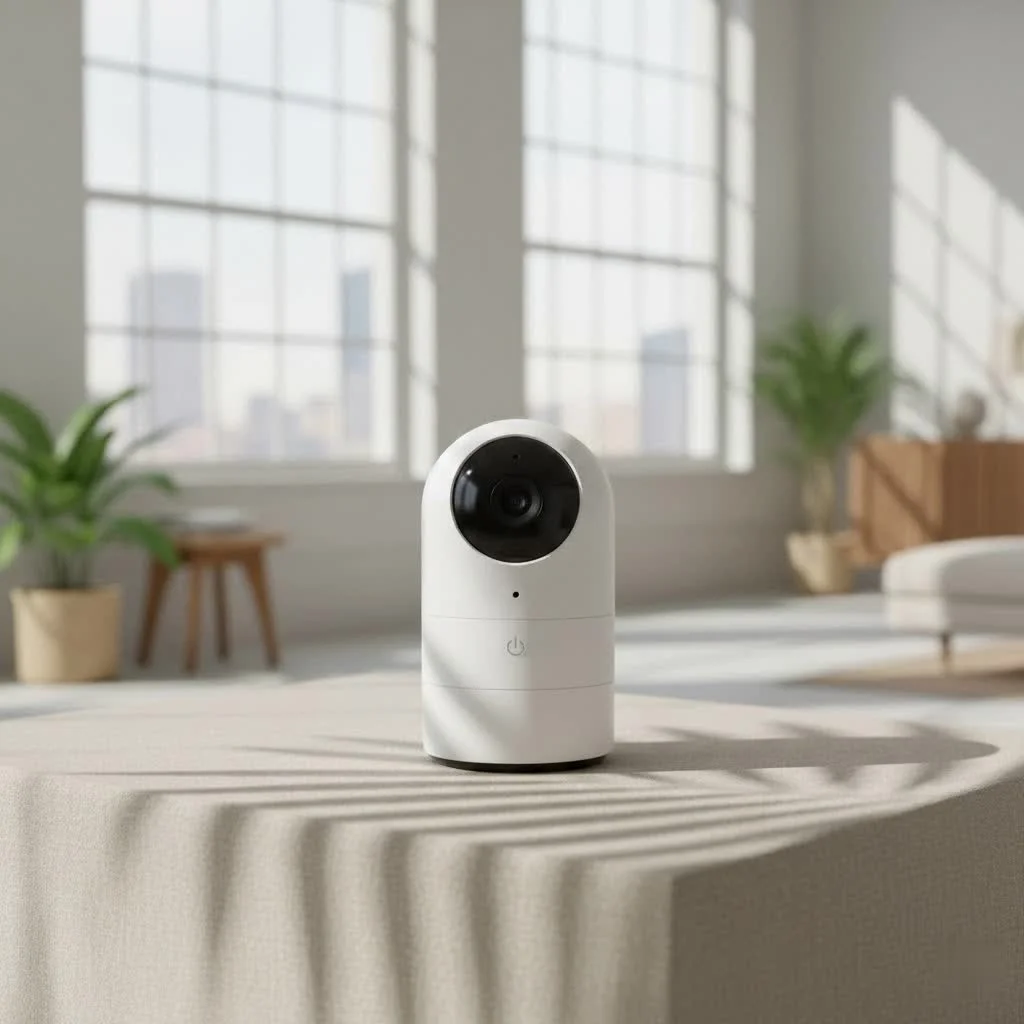
The Nanit travel system, centered around the Nanit Flex Stand and Travel Case, allows parents to maintain crucial baby monitoring away from home by transforming the Nanit Pro Camera into a portable surveillance tool. This system ensures continuous safety and peace of mind during family vacations, visits to grandparents, or even just moving between rooms, providing essential features like live HD video, real-time alerts, and two-way audio.
What is Nanit Travel? Your Portable Monitoring Solution
At its heart, Nanit travel refers to the comprehensive system designed to make your Nanit Pro Camera truly portable. The cornerstone of this system is the Nanit Flex Stand, complemented by the protective Nanit Travel Case, often bundled together as the “Nanit Travel Pack” or “Travel Bundle.” This ingenious setup transforms your fixed nursery monitor into a versatile, go-anywhere surveillance tool.
Imagine easily detaching your Nanit Pro Camera from its wall or floor stand and snapping it into a lightweight, flexible stand that can sit on any flat surface. That’s the power of the Flex Stand. Paired with a durable, compact case, the Nanit Travel system ensures your baby’s watchful eye goes wherever your family adventures take you. It’s about empowering parents to maintain their monitoring routine without the hassle of complicated setups or compromising on security.
Why Nanit Travel is a major upgrade for Busy Families
For parents constantly on the move, the ability to pack up their baby monitor and set it up effortlessly in a new environment is invaluable. The Nanit travel system addresses this need directly, offering significant advantages that extend far beyond simple portability.
Unmatched Portability and Effortless Setup
One of the most compelling reasons to embrace Nanit travel is its unparalleled ease of use. The Flex Stand requires no installation, allowing you to simply snap your Nanit Pro Camera into place. This “snap-and-go” design means you can move the camera from the nursery to the living room, a grandparent’s house, or a hotel room in seconds. Nanit’s smart technology even s up to 10 previously connected Wi-Fi networks, ensuring quick reconnection when you return to familiar spots. This eliminates the stress of elaborate reconfigurations, letting you focus on enjoying your time with family.
Essential Features on the Go
Traveling doesn’t mean sacrificing the advanced features you love about your Nanit. When using the Flex Stand, your Nanit Pro Camera continues to provide:
- Crystal-clear live view: Keep an eye on your baby in vibrant 1080p HD video.
- Real-time sound and motion notifications: Get instant alerts to your phone, ensuring you never miss a cry or a stir.
- Two-way audio: Comfort your baby with your voice or communicate with a caregiver from another room.
- Temperature and humidity tracking: Monitor the nursery environment to ensure optimal comfort.
- Breathing Motion Monitoring: When paired with Nanit Breathing Wear, you can still track your baby’s breathing motion without sensors on their body, offering crucial peace of mind.
This robust suite of features ensures that even away from your primary setup, you have comprehensive insights into your baby’s well-being.
Peace of Mind, Anywhere
|
Our Picks for the Best Baby Monitor in 2026
As an Amazon Associate I earn from qualifying purchases.
|
||
| Num | Product | Action |
|---|---|---|
| 1 | Jartoo 2K 5.5\" Video Baby Monitor with Camera and Audio,AI Cry Detect 1860ft Long Range Baby Monitor No WiFi Baby Camera Wireless,Clear Night Vision,ANC, 2-Way Talk,White Noise,6000mAh [2025 New] |
![Check Jartoo 2K 5.5\" Video Baby Monitor with Camera and Audio,AI Cry Detect 1860ft Long Range Baby Monitor No WiFi Baby Camera Wireless,Clear Night Vision,ANC, 2-Way Talk,White Noise,6000mAh [2025 New] on Amazon](https://wocrt.com/wp-content/plugins/amazon-tables/assets/images/buy.png)
|
| 2 | Baby Monitor with Camera and Audio, Video Baby Monitor No WiFi Night Vision 2.4\" LCD Screen Portable Baby Camera Monitor Alarm Lullaby Temperature Sensor and 1000ft, Ideal for Baby/Elderly/Pet |
|
| 3 | HelloBaby 6\'\' World First IPS 30H Battery Split-Screen Video Baby Monitor with Camera and Audio, No WiFi, Pan-Tilt-Zoom, VOX, 2-Way Talk, Night Vision, 8 Lullabies, 1000ft, for New Parents/Elderly |
|
| 4 | HelloBaby 4.3\'\' Video Baby Monitor with 30 Hours Battery, Remote Pan-Tilt-Zoom Baby Monitor No WiFi, Baby Monitor with Camera and Audio, Night Vision, ECO Mode, Two-way Talk, 8 Lullabies, 1000ft Range |
|
| 5 | HelloBaby Upgrade 5’’ Baby Monitor with 30-Hour Battery, 2 Cameras Pan-Tilt-Zoom, 1000ft Range Video Audio Baby Monitor No WiFi, VOX, Night Vision, 2-Way Talk, 8 Lullabies and Temperature |
|
| 6 | HelloBaby Baby Monitor 6\" World First IPS Screen 30H Battery, Secure No WiFi, Pan Tilt Video Camera with Night Vision, VOX, 2-Way Talk, 1000ft, Portable Video Audio Monitor Ideal for Mom, Elderly, Pet |
|
| 7 | VTech VM819 Baby Monitor with Camera and Audio, 2.8” Screen Portable Baby Camera, Night Vision, 2-Way Audio, Temperature Sensor and Lullabies, Secure Transmission No WiFi, Ideal for Baby/Elderly/Pet |
|
| 8 | Baby Car Camera for Kids - 5\" 1080P IPS Suction Cup Monitor, 120° Wide-Angle & 360° Rotatable, IR Night Vision Easy Installation Backseat |
|
| 9 | HelloBaby No WiFi Baby Monitor 5\" Screen 30-Hour Battery Pan-Tilt-Zoom Video Upgrade with Camera and Audio, Night Vision, VOX, 2-Way Talk, 8 Lullabies and 1000ft Range, HB6550 |
|
| 10 | VTech Upgraded Audio Baby Monitor with Rechargeable Battery, Long Range, and Crystal-Clear Sound |
|
Whether it’s a weekend getaway, a holiday with relatives, or even just supervising playtime in a different room, Nanit travel extends your peace of mind. You can step away, confident that your Nanit is actively monitoring, allowing you to relax and engage in other activities while staying connected to your little one. This freedom is transformative, especially for parents who value both connection and personal space.
HSA/FSA Eligibility
A practical benefit that often goes overlooked is that the Nanit Flex Stand is typically HSA/FSA eligible. This means you may be able to purchase this essential travel accessory using pre-tax dollars, making this valuable tool even more accessible for families. Always check with your specific plan administrator for eligibility details.
Navigating Connectivity: Nanit Travel and Wi-Fi Challenges
While the portability of Nanit travel is a significant advantage, understanding its Wi-Fi requirements is crucial, especially when venturing into new environments like hotels or public spaces.
The Secure Network Requirement
Nanit cameras are designed with security in mind and primarily connect to private, password-protected Wi-Fi networks. This ensures your data and video feed remain secure. Public Wi-Fi networks, which are often unsecured or require a web-based login (known as a captive portal), can pose a challenge. Your Nanit camera cannot navigate these login pages independently.
Conquering Hotel Wi-Fi
Connecting your Nanit to hotel Wi-Fi, which often employs captive portals, requires a bit of cleverness. Here are the most effective strategies:
-
Utilize a Travel Router: This is by far the most reliable method. A travel router creates a secure, private Wi-Fi network that can connect to the hotel’s public Wi-Fi.
- How it works: You connect the travel router to the hotel’s Wi-Fi network, complete any captive portal login via your phone or laptop, and then connect your Nanit camera to the private network created by your travel router.
- Pro Tip: To make future travel even easier, configure your travel router to have the same Wi-Fi network name (SSID) and password as your home network. Your Nanit will then seamlessly connect without needing to be re-paired.
-
Ask for Secure Networks: Some hotels, particularly those accustomed to accommodating families or business travelers with smart devices, may offer a secure, password-protected Wi-Fi network specifically for such devices. It’s always worth asking the front desk or hotel IT support if this option is available.
-
Mobile Hotspot (Last Resort): Your smartphone’s mobile hotspot feature can serve as a temporary Wi-Fi source. However, be mindful of data usage, which can be high, and potential speed limitations depending on your carrier and signal strength. This method is best reserved for short periods or emergencies.
“When traveling, the biggest hurdle for smart baby monitors like Nanit is often public Wi-Fi. Investing in a reliable travel router isn’t just about connectivity; it’s about creating a secure digital bubble for your baby’s monitoring data, giving parents invaluable peace of mind.” — Dr. Clara Nguyen, Child Safety Technology Consultant.
It’s paramount to acknowledge the security risks associated with connecting to open or unsecured networks. While Nanit has implemented safeguards, direct connection to unencrypted public Wi-Fi means your data may be vulnerable. A travel router adds a crucial layer of security, creating a protected environment for your Nanit.
Setting Up Your Nanit for Travel: A Step-by-Step Guide
Getting your Nanit ready for your next adventure is surprisingly straightforward thanks to the intuitive design of the Flex Stand.
- Detach Your Camera: Gently press and hold the grey button at the top of your existing Nanit stand (wall or floor mount), directly behind the camera. While holding, carefully pull the Nanit Pro Camera away from the mount to detach it.
- Attach to the Flex Stand: Align the ports of the Nanit Pro Camera with those on the Flex Stand. Gently push the camera into the stand until it clicks securely into place.
- Position the Flex Stand: Place the Flex Stand on a stable, flat surface near your baby’s sleep or play area. Ensure it has a clear, unobstructed view. The Flex Stand provides a 130° wide-angle view, perfect for cribs, bassinets, or playpens.
- Power Up: Plug the Flex Stand into a power outlet.
- Connect to Wi-Fi:
- For ed networks: If you’re connecting to a Wi-Fi network Nanit has previously used (like your home network), it should reconnect automatically within seconds.
- For new password-protected networks: Open the Nanit app, go to
Baby's Settingsvia the top-left navigation menu, then scroll down toNetwork>Pair Nanit with our network. Follow the on-screen prompts to select the new network and enter the password. - For hotel Wi-Fi with a travel router: Connect your travel router to the hotel Wi-Fi and complete any login pages on your phone/laptop first. Then, in the Nanit app, connect your Nanit to the secure, password-protected network created by your travel router.
With these simple steps, your Nanit travel setup is complete, and you’re ready to monitor your baby with confidence.
Maximizing Your Nanit Travel Experience: Pro Tips
To truly make the most of your Nanit travel system, consider these expert recommendations:
- Pack Smart with the Travel Case: The Nanit Travel Case is designed to protect your Nanit Pro Camera and Flex Stand. Its compact and streamlined design ensures everything stays organized and safe from bumps and scratches, easily fitting into most diaper bags or carry-ons.
- Utilize the Alert Zone Feature: The Flex Stand offers an exclusive “Alert Zone” feature. Unlike the wall mount, this allows you to define an off-limits area within the camera’s view. If your child enters this zone (e.g., getting out of bed), you’ll receive an instant alert. This is incredibly useful in unfamiliar spaces to ensure your child stays safe.
- Consider an Older iPad for Babysitters: If you’re traveling and plan to have a babysitter, an older iPad or tablet can serve as a dedicated Nanit monitor. This means the babysitter doesn’t need to download the app onto their personal phone, simplifying the process and maintaining privacy.
- Understand Flex Stand Limitations: While highly versatile, the Flex Stand’s perspective doesn’t offer the same “bird’s-eye view” as the fixed wall or floor stand. This means that while using the Flex Stand, Nanit will not be able to detect when your child falls asleep, wakes up, receives a visit, or generate comprehensive sleep summaries. You will still receive sound and motion alerts, but the advanced sleep tracking insights are paused during Flex Stand use.
- Traveling with the Nanit Sound and Light Device: The Nanit Sound and Light device also requires a secure Wi-Fi connection and cannot connect to captive portal networks. Before flying, to turn the power switch to “OFF” to preserve battery and comply with aviation regulations. If Wi-Fi connectivity at your destination is uncertain, pre-set your desired sound and light combinations as favorites on the device so you can access them offline.
Expert Insights: A Parent’s Perspective
“As a parent who’s always on the go, the Nanit Flex Stand and Travel Case have been absolute lifesavers. We’ve used it everywhere from hotel rooms to my parents’ cabin, and it consistently delivers the peace of mind we need. Knowing I can check in on my little one from my phone, even when I’m just in the next room, makes traveling with a baby so much less stressful. It truly feels like having our nursery security wherever we are.” — Sarah Miller, Mother of two and avid traveler.
Your Nanit Travel Questions Answered (FAQ)
Does Nanit work without Wi-Fi when traveling?
No, the Nanit camera relies on a Wi-Fi connection to stream video and send notifications to your smartphone or tablet. Without a Wi-Fi network, the core monitoring functions cannot operate.
What is included in the Nanit Travel Pack?
The Nanit Travel Pack typically includes the Nanit Flex Stand and a protective Nanit Travel Case. The Nanit Pro Camera is usually sold separately.
Can I get sleep tracking data when using the Flex Stand?
No. While the Flex Stand provides essential monitoring features, it does not offer the same bird’s-eye view as the wall or floor stand. Consequently, it cannot provide detailed sleep tracking data, such as sleep summaries or detection of sleep events (falling asleep, waking up).
How do I connect Nanit to hotel Wi-Fi?
The most reliable way to connect your Nanit to hotel Wi-Fi is by using a portable travel router. This creates a secure, private network that can connect to the hotel’s public Wi-Fi, allowing your Nanit to connect safely. You can also inquire with the hotel about a secure network or use your phone’s hotspot as a last resort.
Is the Nanit Flex Stand easy to set up?
Yes, the Nanit Flex Stand is designed for effortless setup. You simply snap your Nanit Pro Camera into the stand, and no tools or installation are required. It’s ready to use in seconds.
Conclusion
The Nanit travel system represents a significant step forward in making advanced baby monitoring truly portable. For parents who refuse to compromise on their child’s safety and their own peace of mind, the Nanit Flex Stand and Travel Case offer an indispensable solution. By understanding its features, embracing its portability, and navigating connectivity challenges with smart solutions like a travel router, you can confidently take your Nanit experience on any adventure. Empower yourself with the freedom to monitor your baby securely, wherever life takes you, and make every journey a little more peaceful.
Frequently Asked Questions
Does Nanit work without Wi-Fi when traveling?
No, the Nanit camera requires a Wi-Fi connection to stream video and send notifications to your smartphone or tablet. Without a stable Wi-Fi network, the core monitoring functions, including live view and alerts, cannot operate.
What items are typically included in the Nanit Travel Pack?
The Nanit Travel Pack usually includes the Nanit Flex Stand and a protective Nanit Travel Case. The Nanit Pro Camera, which is essential for monitoring, is generally sold separately and is not part of this specific bundle.
Can I get sleep tracking data when using the Nanit Flex Stand?
No, the Nanit Flex Stand does not provide detailed sleep tracking data. Its perspective differs from the fixed wall or floor stand, meaning it cannot generate comprehensive sleep summaries or detect specific sleep events like falling asleep or waking up. You will still receive sound and motion alerts.
What is the most reliable way to connect Nanit to hotel Wi-Fi?
The most reliable method to connect your Nanit to hotel Wi-Fi is by using a portable travel router. This device creates a secure, private network that can connect to the hotel's public Wi-Fi, allowing your Nanit to connect safely without navigating captive portals. Some hotels may also offer secure networks upon request.
Is the Nanit Flex Stand easy to set up for travel?
Yes, the Nanit Flex Stand is designed for effortless setup, requiring no tools or complex installation. You simply snap your Nanit Pro Camera into the stand, and it is ready to use in seconds, making it highly convenient for on-the-go parents.
Set Up Your Nanit for Travel
Follow these steps to quickly and easily set up your Nanit Pro Camera with the Flex Stand for portable monitoring during your travels.
Gently press and hold the grey button at the top of your existing Nanit stand (wall or floor mount), directly behind the camera. While holding, carefully pull the Nanit Pro Camera away from the mount to detach it.
Align the ports of the Nanit Pro Camera with those on the Flex Stand. Gently push the camera into the stand until it clicks securely into place, ensuring a stable connection.
Place the Flex Stand on a stable, flat surface near your baby's sleep or play area. Ensure it has a clear, unobstructed view, as the Flex Stand provides a 130u00b0 wide-angle view suitable for cribs or bassinets.
Plug the Flex Stand into a power outlet. For new password-protected networks, open the Nanit app, navigate to 'Baby's Settings' > 'Network' > 'Pair Nanit with our network', and follow the prompts to connect. If using a travel router for hotel Wi-Fi, connect the router first, then connect Nanit to the router's secure network.
Smart home that does not lock you in
Free PDF — protocol compatibility matrix for 30 hubs and devices.

We just got back from a trip to my in-laws, and the Nanit Flex Stand was a lifesaver! It was so easy to set up in their guest room, and I loved being able to see our little one without constantly peeking in. The HD video quality was just as good as at home, which really gave me peace of mind.
This system is a game-changer for traveling with a baby! We used to dread trying to rig up a monitor at hotels, but the Nanit travel solution made it effortless. Being able to move the camera between rooms at our Airbnb was incredibly convenient, and we didn’t miss any of the essential features.
I was a bit hesitant about taking our Nanit Pro Camera on vacation, but the Travel Case made it super simple and protected. It fit perfectly in our carry-on, and I didn’t have to worry about the camera getting damaged. The two-way audio feature was great for soothing our baby from the next room.
The Nanit Travel Pack is mostly good, but I found the initial setup with the Flex Stand a little finicky the first time. It took a few tries to get it stable on the dresser. Once it was up, though, the real-time alerts worked perfectly, and it was nice to have that continuous safety monitoring.