Summer Infant monitors offer parents peace of mind through dedicated, often non-Wi-Fi, connections and user-friendly features, providing a direct line of sight and sound to your baby. These monitors are known for their secure and private connections, less susceptible to internet dropouts or hacking concerns, making them a reliable choice for monitoring your little one. This guide, drawing on over a decade of experience in baby monitoring technology, will walk you through everything you need to know about choosing, setting up, and getting the most out of your Summer Infant monitor.
Understanding Summer Infant Baby Monitors: The Core Offering
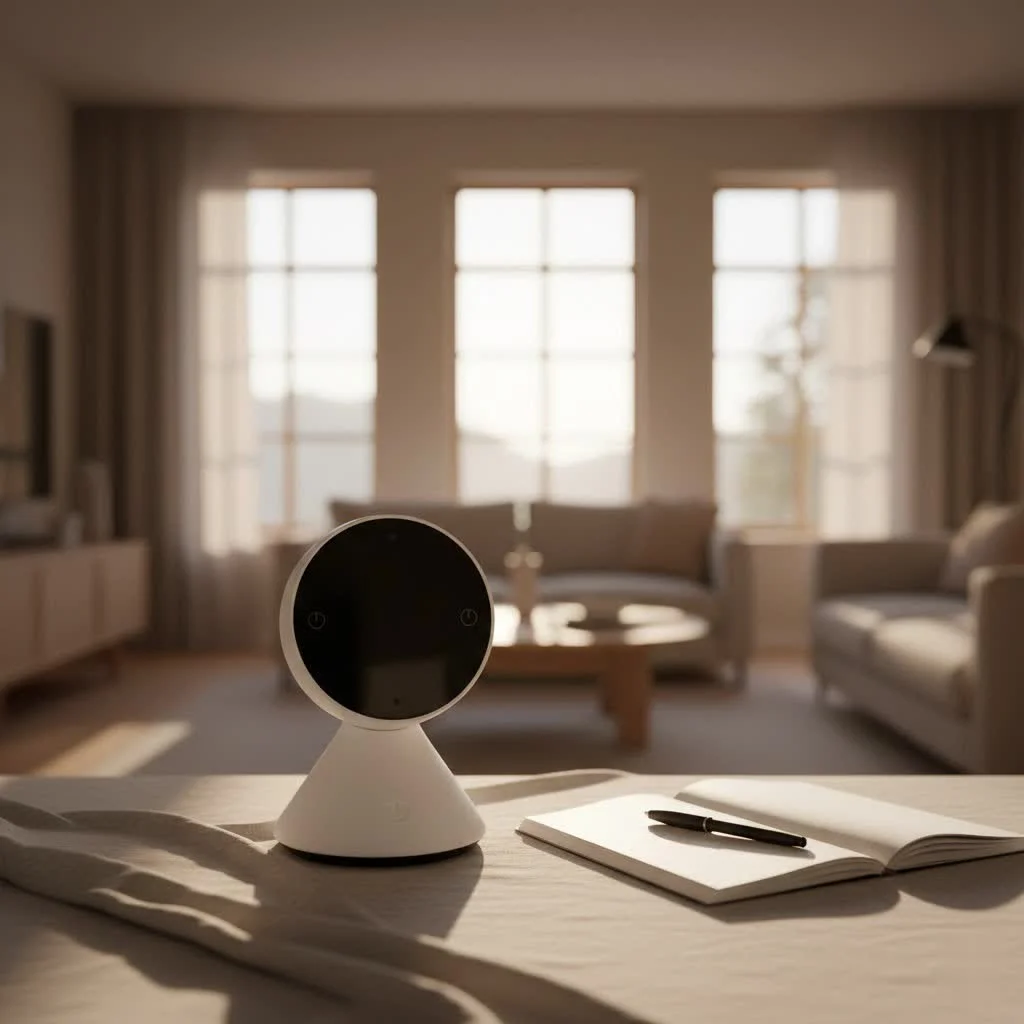
Summer Infant has long been a trusted name in baby products, with their monitors designed to bring simplicity and security to parents’ lives. Unlike many smart monitors that rely on your home Wi-Fi network and cloud services, many Summer Infant monitor systems operate on a dedicated radio frequency. This often translates to a more secure and private connection, less susceptible to internet dropouts or potential hacking concerns. It’s about a straightforward, reliable link directly from your baby’s room to your hands.
The brand offers a range of options, primarily focusing on video monitors, though some basic audio-only versions exist. Their most popular lines, such as the Baby Pixel and In View series, consistently offer essential features coupled with intuitive design, making them a favorite for busy parents.
Key Features to Look For in a Summer Infant Monitor
When diving into the specifics of a Summer Infant monitor, it’s the details that truly make a difference. Here’s a breakdown of the functionalities that stand out and why they matter:
Crystal Clear Vision, Day and Night
A monitor’s primary job is to show you your baby, and Summer Infant understands this well. Many models, like the Baby Pixel, come equipped with a generous 5-inch color LCD screen on the parent unit, providing a clear window into your nursery.
- Digital Zoom: Need a closer look at that adorable sleeping face or a quick check for pacifier status? Digital zoom functions allow you to magnify the view without disturbing your little one.
- Night Vision: Crucial for overnight monitoring, most Summer Infant monitor cameras automatically switch to black and white infrared night vision in low-light conditions, ensuring you can see your baby even in a completely dark room. Some advanced models, like the Baby Pixel, even offer a “Moonlite Night Vision Boost” for enhanced, temporary in-color viewing when you need extra reassurance.
Remote Camera Control: Your Eyes, Anywhere in the House
|
Our Picks for the Best Baby Monitor in 2026
As an Amazon Associate I earn from qualifying purchases.
|
||
| Num | Product | Action |
|---|---|---|
| 1 | VTech VM819 Baby Monitor with Camera and Audio, 2.8” Screen Portable Baby Camera, Night Vision, 2-Way Audio, Temperature Sensor and Lullabies, Secure Transmission No WiFi, Ideal for Baby/Elderly/Pet |

|
| 2 | Jartoo 2K 5.5\" Video Baby Monitor with Camera and Audio,AI Cry Detect 1860ft Long Range Baby Monitor No WiFi Baby Camera Wireless,Clear Night Vision,ANC, 2-Way Talk,White Noise,6000mAh [2025 New] |
|
| 3 | VTech Upgraded Audio Baby Monitor with Rechargeable Battery, Long Range, and Crystal-Clear Sound |
|
| 4 | HelloBaby 6\'\' World First IPS 30H Battery Split-Screen Video Baby Monitor with Camera and Audio, No WiFi, Pan-Tilt-Zoom, VOX, 2-Way Talk, Night Vision, 8 Lullabies, 1000ft, for New Parents/Elderly |
|
| 5 | HelloBaby 4.3\'\' Video Baby Monitor with 30 Hours Battery, Remote Pan-Tilt-Zoom Baby Monitor No WiFi, Baby Monitor with Camera and Audio, Night Vision, ECO Mode, Two-way Talk, 8 Lullabies, 1000ft Range |
|
| 6 | Baby Car Camera for Kids - 5\" 1080P IPS Suction Cup Monitor, 120° Wide-Angle & 360° Rotatable, IR Night Vision Easy Installation Backseat |
|
| 7 | Baby Monitor with Camera and Audio, Video Baby Monitor No WiFi Night Vision 2.4\" LCD Screen Portable Baby Camera Monitor Alarm Lullaby Temperature Sensor and 1000ft, Ideal for Baby/Elderly/Pet |
|
| 8 | HelloBaby No WiFi Baby Monitor 5\" Screen 30-Hour Battery Pan-Tilt-Zoom Video Upgrade with Camera and Audio, Night Vision, VOX, 2-Way Talk, 8 Lullabies and 1000ft Range, HB6550 |
|
| 9 | HelloBaby Baby Monitor 6\" World First IPS Screen 30H Battery, Secure No WiFi, Pan Tilt Video Camera with Night Vision, VOX, 2-Way Talk, 1000ft, Portable Video Audio Monitor Ideal for Mom, Elderly, Pet |
|
| 10 | HelloBaby Upgrade 5’’ Baby Monitor with 30-Hour Battery, 2 Cameras Pan-Tilt-Zoom, 1000ft Range Video Audio Baby Monitor No WiFi, VOX, Night Vision, 2-Way Talk, 8 Lullabies and Temperature |
|
One of the standout conveniences of a good video monitor is the ability to adjust the camera remotely. Imagine your baby rolling out of frame – with remote pan, tilt, and zoom capabilities, you can simply adjust the camera from your parent unit, covering their entire crib or even the whole room. This means no tiptoeing into a sleeping baby’s sanctuary, risking waking them up just to get a better view.
Two-Way Talk: A Comforting Voice from Afar
A feature many parents swear by is two-way audio. This allows you to not only hear your baby but also speak back to them through the camera unit. A gentle “Mama’s here, sweetie” or a quick lullaby can often soothe a fussy baby back to sleep, giving you a moment to reach them without immediate distress. It’s like having a little intercom directly into their crib.
Temperature Monitoring: Ensuring a Comfortable Nursery
Is the nursery too warm or too cool? Many Summer Infant monitor systems include a temperature sensor that displays the room’s current temperature directly on your parent unit. This simple yet vital feature helps you ensure your baby is always in a comfortable and safe environment, preventing them from getting too hot or too cold.
Sound-Activated LEDs & Alerts: Silent Vigilance
For light sleepers or those who prefer to keep the parent unit volume low, sound-activated LED lights are a godsend. These visual indicators light up to show the level of sound in your baby’s room, alerting you to cries or stirs even if the audio is muted. This subtle notification allows for quiet monitoring, letting you sleep soundly until truly needed.
Expandability: Growing with Your Family
As your family grows, your monitoring needs might change. Many Summer Infant monitor systems are expandable, allowing you to connect multiple cameras (sold separately) to a single parent unit. This is perfect for monitoring twins, siblings in different rooms, or keeping an eye on a playroom.
Unique Innovations: Virtual Boundaries
Some advanced Summer Infant monitor models, such as the Baby Pixel, feature a “Sleep Zone Virtual Boundary” alert. This innovative function allows you to draw a virtual perimeter on the screen, and the monitor will alert you if your baby moves outside of this designated area. It’s an extra layer of reassurance, particularly for active sleepers or when transitioning to a toddler bed.
Choosing the Right Summer Infant Monitor for Your Family
Selecting the perfect Summer Infant monitor involves a bit of self-reflection about your unique living situation and parenting style.
Consider Your Home Size and Layout
If you live in a large house or one with thick walls, the range of your monitor is crucial. While Summer Infant monitors typically use a secure digital signal, physical obstructions can affect performance. For example, some models like the Baby Pixel are noted for having a shorter indoor range (around 65 feet through 4 walls). If you plan to be outdoors or in distant parts of your home, check the specified range for the model you’re considering.
Connectivity Preferences: Dedicated vs. Wi-Fi
Most Summer Infant monitors offer a dedicated, closed-circuit connection, which is fantastic for security and privacy. However, this means you won’t be able to view your baby’s feed on your smartphone when you’re away from home. If remote access via an app is a must-have for you, you might need to explore other brands or specific Wi-Fi enabled Summer Infant models (if available, as traditional models often use RF).
Budget vs. Features
Naturally, more advanced features like remote pan/tilt/zoom, virtual boundaries, and larger screens will come with a higher price tag. Determine your non-negotiable features and then look for a model that balances your desires with your budget. Some reviews note that models like the Baby Pixel, while feature-rich, can be on the pricier side for their overall video and sound quality.
Specific Model Considerations
- Summer Infant Baby Pixel: A feature-rich option with remote camera control, temperature sensor, and virtual boundary alerts. Known for easy setup and decent battery life on the parent unit.
- Summer Infant In View: Often praised for its affordability and ease of use, providing essential monitoring with automatic night vision and two-way talk.
Setting Up Your Summer Infant Monitor: A Step-by-Step Guide
Getting your new Summer Infant monitor up and running is typically straightforward, designed for ease of use right out of the box.
- Charge the Parent Unit: Before anything else, plug in your parent unit and allow it to charge fully. For some models, this initial charge can take up to 7 hours to ensure optimal battery performance.
- Position the Camera: Place the camera unit in your baby’s room, ensuring it has a clear, unobstructed view of the crib or play area. For the best picture focus and safety, it’s generally recommended to position the camera between 3 to 8 feet away from the crib.
- Secure the Camera Cord: This is a critical safety step! Children can get entangled in cords, so always ensure the camera cord is secured to the wall using the provided security clips, keeping it well out of reach of your baby (more than 3 feet away).
- Power On and Pair: Connect the camera’s power adapter to an electrical outlet. Most Summer Infant cameras and parent units come pre-paired from the factory, meaning they should automatically connect once both units are powered on. If they don’t, consult your user manual for specific re-pairing instructions, which usually involve pressing a pairing button on both units.
“Setting up your Summer Infant monitor should feel like a breeze,” advises Clara Jenkins, a pediatric nurse and baby tech enthusiast. “The key is to give the parent unit a full initial charge and always, always secure those camera cords. Safety first, peace of mind second, but with these monitors, you often get both!”
Troubleshooting Common Summer Infant Monitor Issues
Even the most reliable Summer Infant monitor can occasionally encounter a hiccup. Here’s how to address some common issues:
No Picture or Sound from the Parent Unit
- Check Power: Ensure both the camera and parent units are plugged in and powered on. Confirm the parent unit’s battery is charged.
- Verify Range: Make sure the parent unit is within range of the camera. Move closer if necessary.
- Re-pair Units: If units are out of sync, refer to your manual for specific re-pairing instructions.
Poor Signal or Wi-Fi Interference
- Move Closer: Bring the parent unit closer to the camera.
- Relocate: Move the monitor away from other 2.4 GHz wireless devices (like Wi-Fi routers or cordless phones) that might cause interference.
- Adjust Position: Slightly alter the position of either unit to minimize signal disruption.
Short Battery Life on Parent Unit
- Full Charge: Always ensure the unit is fully charged before extended use.
- Keep Plugged In: For continuous monitoring, consider keeping the parent unit plugged in.
- Battery Replacement: If battery performance significantly degrades over time, the rechargeable battery in the parent unit may need replacing.
Night Vision Appears Black and White During the Day
- Lighting Conditions: The camera might be in night vision mode due to insufficient room lighting. Ensure the room is adequately lit during the day.
Conclusion
Choosing a Summer Infant monitor means opting for a blend of trusted functionality, straightforward operation, and a focus on privacy through dedicated connections. From the crystal-clear viewing capabilities of models like the Baby Pixel to the essential reliability of the In View series, Summer Infant strives to provide parents with the tools they need for peace of mind. By understanding the key features, carefully selecting a model that fits your lifestyle, and following simple setup and troubleshooting steps, you’ll be well-equipped to monitor your little one safely and effectively. Embrace the confidence that comes from a reliable Summer Infant monitor and enjoy those precious moments, knowing you have a watchful eye over your child.
Frequently Asked Questions
What makes Summer Infant monitors different from other baby monitors?
Summer Infant monitors primarily use a dedicated radio frequency connection, unlike many smart monitors that rely on home Wi-Fi. This offers a more secure and private link, reducing susceptibility to internet dropouts or potential hacking concerns, and provides a direct connection from the baby's room to the parent unit.
What are the essential features to look for in a Summer Infant monitor?
Key features to look for include a clear 5-inch color LCD screen, digital zoom, automatic infrared night vision, and remote pan/tilt/zoom capabilities. Two-way talk, temperature monitoring, and sound-activated LED alerts are also highly beneficial for comprehensive monitoring.
How do I ensure the camera cord is safe for my baby?
To ensure safety, always secure the camera cord to the wall using the provided security clips. It is critical to keep the cord well out of reach of your baby, specifically more than 3 feet away from the crib or play area, to prevent entanglement.
Can I view my Summer Infant monitor feed on my smartphone?
Most traditional Summer Infant monitors use a dedicated, closed-circuit connection, meaning you cannot view your baby's feed on a smartphone when away from home. If remote app access is essential, you may need to explore other brands or specific Wi-Fi enabled Summer Infant models, if available.
What should I do if my Summer Infant monitor has poor signal?
If your monitor has a poor signal, first try moving the parent unit closer to the camera. You should also relocate the monitor away from other 2.4 GHz wireless devices, such as Wi-Fi routers or cordless phones, which can cause interference. Slightly adjusting the position of either unit can also help minimize signal disruption.
Setting Up Your Summer Infant Monitor
Follow these steps to quickly and safely set up your new Summer Infant baby monitor for optimal performance and peace of mind.
Plug in the parent unit and allow it to charge fully before initial use. For some models, this can take up to 7 hours to ensure optimal battery performance and longevity.
Place the camera unit in your babyu2019s room, ensuring it has a clear, unobstructed view of the crib or play area. For best picture focus and safety, position the camera between 3 to 8 feet away from the crib.
This is a critical safety step. Secure the camera cord to the wall using the provided security clips, keeping it well out of reach of your baby (more than 3 feet away) to prevent entanglement.
Connect the camera's power adapter to an electrical outlet. Most Summer Infant cameras and parent units come pre-paired and should connect automatically once powered on. If not, consult your user manual for specific re-pairing instructions.
Smart home that does not lock you in
Free PDF — protocol compatibility matrix for 30 hubs and devices.
I’ve been using a Summer Infant monitor for my second baby and it’s been a lifesaver. The secure, non-Wi-Fi connection is exactly what I wanted. I never have to worry about internet dropouts or privacy issues, which gives me so much peace of mind. It’s super reliable and the range is great for our house.
After reading about the benefits of non-Wi-Fi monitors, I decided to go with Summer Infant. It’s so reassuring to know that the connection is private and not susceptible to hacking. The sound is clear, and I can hear every little coo or cry. It’s truly brought simplicity and security to our daily routine with the baby.
The Summer Infant monitor does what it says it will, providing a direct line to my baby. I appreciate the secure connection, but I do wish the battery life on the parent unit was a bit longer. I find myself charging it more often than I’d like, especially if I forget to plug it in overnight. Otherwise, it’s a decent monitor for the price.
We upgraded to a Summer Infant monitor after our old one kept losing connection. The dedicated connection on this one is a huge improvement. It’s really user-friendly to set up, and the picture quality is clear enough to see if our little one is actually asleep or just stirring. Definitely a solid choice for basic, reliable monitoring.