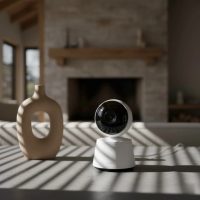
Welcoming a newborn into your home is an incredible journey filled with joy, wonder, and a fair share of sleepless nights. As a parent, you naturally want to ensure your little one is safe, sound, and comfortable at all times. This is where a reliable baby monitor becomes an invaluable tool, and the Owlet Cam stands out as a leading smart solution designed to offer peace of mind. But what exactly makes the Owlet Cam a popular choice, and how can it simplify your parenting experience? Let’s dive in.

At Wocrt, with over a decade of hands-on experience in child monitoring technology, we’ve seen countless innovations come and go. The Owlet Cam represents a significant leap forward, seamlessly blending high-definition video with smart alerts and environmental insights. It transforms your smartphone into a sophisticated monitoring hub, allowing you to keep a watchful eye and ear on your baby from virtually anywhere.
What is the Owlet Cam and How Does it Work?
The Owlet Cam is a Wi-Fi enabled smart baby monitor that streams live 1080p HD video and audio directly to your smartphone or tablet via the dedicated Owlet Dream App. Unlike traditional baby monitors that rely on a separate parent unit, the Owlet Cam leverages your existing mobile devices, offering flexibility and accessibility that many modern parents appreciate.
The core functionality revolves around a secure, encrypted Wi-Fi connection, ensuring that your baby’s video feed and data remain private. It’s designed to provide a crystal-clear view of your nursery, day and night, coupled with intelligent alerts to keep you informed of your baby’s well-being.
Essential Features and Technologies of the Owlet Cam
When considering a smart baby monitor like the Owlet Cam, understanding its key features is crucial. These are the elements that truly set it apart and provide comprehensive insights into your baby’s environment and comfort.
Crystal-Clear Video and Night Vision
What sets the Owlet Cam apart in terms of visual clarity?
The Owlet Cam boasts 1080p HD video quality, offering a sharp and clear view of your baby. It also includes an auto-adjusting night vision feature, which automatically switches on in low-light conditions, allowing you to see your baby clearly even in a completely dark room. With a wide-angle view and 4x digital zoom, you can get a detailed look at your little one without disturbing their sleep.
Two-Way Audio and Background Sound
How does the Owlet Cam facilitate communication and continuous audio monitoring?
Equipped with two-way audio, the Owlet Cam allows you to not only hear your baby but also speak to them, offering comfort and reassurance from another room. This can be a game-changer for gently soothing a stirring baby back to sleep. Additionally, the background audio feature lets you hear sounds from the nursery even when you’re using other apps on your phone or when your screen is off, ensuring you never miss a cry or gurgle.
Smart Alerts: Sound, Motion, and Cry Detection
|
Our Picks for the Best Baby Monitor in 2026
As an Amazon Associate I earn from qualifying purchases.
|
||
| Num | Product | Action |
|---|---|---|
| 1 | HelloBaby 4.3\'\' Video Baby Monitor with 30 Hours Battery, Remote Pan-Tilt-Zoom Baby Monitor No WiFi, Baby Monitor with Camera and Audio, Night Vision, ECO Mode, Two-way Talk, 8 Lullabies, 1000ft Range |

|
| 2 | VTech VM819 Baby Monitor with Camera and Audio, 2.8” Screen Portable Baby Camera, Night Vision, 2-Way Audio, Temperature Sensor and Lullabies, Secure Transmission No WiFi, Ideal for Baby/Elderly/Pet |
|
| 3 | Baby Monitor with Camera and Audio, Video Baby Monitor No WiFi Night Vision 2.4\" LCD Screen Portable Baby Camera Monitor Alarm Lullaby Temperature Sensor and 1000ft, Ideal for Baby/Elderly/Pet |
|
| 4 | HelloBaby Baby Monitor 6\" World First IPS Screen 30H Battery, Secure No WiFi, Pan Tilt Video Camera with Night Vision, VOX, 2-Way Talk, 1000ft, Portable Video Audio Monitor Ideal for Mom, Elderly, Pet |
|
| 5 | HelloBaby 6\'\' World First IPS 30H Battery Split-Screen Video Baby Monitor with Camera and Audio, No WiFi, Pan-Tilt-Zoom, VOX, 2-Way Talk, Night Vision, 8 Lullabies, 1000ft, for New Parents/Elderly |
|
| 6 | Baby Car Camera for Kids - 5\" 1080P IPS Suction Cup Monitor, 120° Wide-Angle & 360° Rotatable, IR Night Vision Easy Installation Backseat |
|
| 7 | Jartoo 2K 5.5\" Video Baby Monitor with Camera and Audio,AI Cry Detect 1860ft Long Range Baby Monitor No WiFi Baby Camera Wireless,Clear Night Vision,ANC, 2-Way Talk,White Noise,6000mAh [2025 New] |
|
| 8 | VTech Upgraded Audio Baby Monitor with Rechargeable Battery, Long Range, and Crystal-Clear Sound |
|
| 9 | HelloBaby Upgrade 5’’ Baby Monitor with 30-Hour Battery, 2 Cameras Pan-Tilt-Zoom, 1000ft Range Video Audio Baby Monitor No WiFi, VOX, Night Vision, 2-Way Talk, 8 Lullabies and Temperature |
|
| 10 | HelloBaby No WiFi Baby Monitor 5\" Screen 30-Hour Battery Pan-Tilt-Zoom Video Upgrade with Camera and Audio, Night Vision, VOX, 2-Way Talk, 8 Lullabies and 1000ft Range, HB6550 |
|
What kind of notifications can you expect from the Owlet Cam?
The Owlet Cam is designed to provide timely and intelligent alerts. It features sound and motion detection, notifying you whenever there’s activity in the crib. The advanced cry detection, powered by AI and machine learning in the Owlet Cam 2, can even differentiate between ambient noises and an actual baby cry, sending you a specific alert. These notifications can often include short video clips of the event, helping you understand your baby’s cues and respond effectively.
Room Temperature and Humidity Monitoring
Why are environmental factors important, and how does the Owlet Cam help?
Creating the ideal sleep environment is vital for your baby’s comfort and safety. The Owlet Cam comes with a built-in sensor that monitors the room temperature and humidity, displaying these readings directly in the Owlet Dream App. This ensures you can easily tell if the nursery is too hot, too cold, or too humid, allowing you to adjust the conditions as needed for optimal comfort.
Seamless Integration with the Owlet Dream Sock
How does the Owlet Cam work with the Owlet Dream Sock for enhanced monitoring?
For parents seeking an even more comprehensive monitoring experience, the Owlet Cam integrates seamlessly with the Owlet Dream Sock. While the Cam focuses on environmental and visual monitoring, the Dream Sock tracks crucial well-being indicators like heart rate, oxygen levels, and sleep trends. Together, they offer a holistic view of your baby’s comfort and sleep quality, providing unparalleled peace of mind. This combined system often features predictive sleep technology, offering insights into when your baby might be ready for sleep.
Choosing the Right Owlet Cam for Your Family’s Needs
With several baby monitor options available, how do you decide if the Owlet Cam is the right fit for your family? Consider these aspects:
- App-Centric Monitoring: If you’re comfortable using your smartphone as the primary monitor and appreciate the flexibility of accessing the feed from anywhere, the Owlet Cam is an excellent choice. If a dedicated parent unit is a must-have for you, you might need to explore other options or supplement your setup.
- Comprehensive Insights: For parents who value detailed data on their baby’s sleep environment and, especially when paired with the Dream Sock, health metrics, the Owlet Cam system delivers.
- Safety Features: The inclusion of secure Wi-Fi and safe cable management with cable guards highlights Owlet’s commitment to safety, which is a top priority for any parent.
“Choosing a baby monitor is a deeply personal decision, but the Owlet Cam’s blend of advanced features and user-friendly design makes it a top contender for modern families seeking a connected monitoring solution,” advises Dr. Evelyn Reed, a pediatric technology specialist.
Setting Up Your Owlet Cam: A Step-by-Step Guide
Getting your Owlet Cam up and running is designed to be straightforward, but a clear guide can make the process even smoother.
- Download the Owlet Dream App: Start by downloading the free Owlet Dream App from your smartphone’s app store (available for both iOS and Android). Create an account if you don’t already have one.
- Plug In and Pair: Plug your Owlet Cam into a power outlet. The app will then guide you through the pairing process, which involves connecting the camera to your Owlet account via a secure, encrypted 2.4 GHz Wi-Fi network. Ensure you have a stable 2.4 GHz Wi-Fi connection, as the Owlet Cam does not support 5 GHz networks.
- Choose Your Placement: You have two main options for placing your Owlet Cam:
- Flat Surface: Use the magnetic base to place the camera on a dresser or shelf, adjusting the tilt for your desired view.
- Wall Mount: For a bird’s-eye view of the crib or an expanded view of the nursery, mount the camera on the wall. Owlet recommends placing the camera and all cables at least 36 inches (0.9 meters) away from the edge of the crib.
- Secure Cables with Cable Guards: Safety is paramount. The Owlet Cam comes with cable guards that snap over the power cord, keeping it securely tethered to the wall and safely out of your baby’s reach. Take your time during installation to ensure proper placement of these guards.
- Adjust the View: Once mounted, use the app to adjust the camera’s angle until you achieve the optimal view of your baby.
Common Issues and Troubleshooting Tips for Your Owlet Cam
Even the most advanced technology can encounter a hiccup or two. Here are some common issues users face with the Owlet Cam and how to troubleshoot them:
“My Owlet Cam Isn’t Connecting to Wi-Fi”
Why might this happen? Often, connectivity issues stem from an unstable Wi-Fi signal, an incorrect Wi-Fi password, or attempting to connect to a 5 GHz network.
What can you do?
- Check Wi-Fi Stability: Ensure your home Wi-Fi network is stable and broadcasting a strong signal. You might try restarting your router.
- Verify Network Band: Confirm that your Wi-Fi network is 2.4 GHz, as the Owlet Cam does not support 5 GHz.
- Re-enter Password: Double-check that you’ve entered the Wi-Fi password correctly during setup.
- Re-pair the Cam: In the Owlet Dream App, you can try removing the existing camera and going through the pairing process again.
“The Video Stream is Lagging or Not Loading”
Why might this happen? Delays can occur due to poor Wi-Fi signal strength, a slow internet connection, or an outdated app version.
What can you do?
- Improve Wi-Fi: Move the camera closer to your router or consider a Wi-Fi extender if the signal is weak in the nursery.
- Force Close and Re-launch App: Sometimes, simply closing the Owlet Dream App completely and reopening it can resolve minor streaming glitches.
- Update App: Ensure your Owlet Dream App is updated to the latest version.
- Reboot Cam: Unplug the Owlet Cam from its power source for 10-15 seconds, then plug it back in. This can refresh its connection.
“I’m Not Receiving Smart Notifications”
Why might this happen? Notification issues can be related to app settings, phone permissions, or sensitivity levels on the camera.
What can you do?
- Check App Settings: Go into the Owlet Dream App settings for your Owlet Cam and ensure that sound, motion, and cry detection alerts are enabled and that the sensitivity levels are appropriately set.
- Phone Permissions: Verify that the Owlet Dream App has the necessary notification permissions enabled in your phone’s settings.
- Log Out/In: Log out of your Owlet account in the app and then log back in.
“The Owlet Cam Isn’t Pairing with My Phone”
Why might this happen? Pairing problems can arise from Bluetooth interference (for initial connection), outdated app versions, or firmware glitches.
What can you do?
- Power Cycle: Unplug the Owlet Cam for 10-15 seconds, then plug it back in.
- Update App & Phone: Ensure both the Owlet Dream App and your smartphone’s operating system are up to date.
- Bluetooth & Location: Confirm that Bluetooth and location services are enabled on your phone for the Owlet Dream App.
- Factory Reset: As a last resort, you can perform a factory reset on the Owlet Cam. Locate the reset button (usually a small hole) and use a paperclip to press and hold it for about 20 seconds until the camera resets. You will then need to re-pair it as a new device.
If you continue to experience issues, Owlet’s customer support can provide personalized assistance for specific device or account problems.
Frequently Asked Questions About the Owlet Cam
Q: Does the Owlet Cam require a subscription?
A: The core features of the Owlet Cam, including live HD video streaming, two-way talk, and basic alerts, are available without a subscription through the free Owlet Dream App. Some advanced features or video history storage might be part of an optional subscription service like Owlet360, if available.
Q: Can multiple users view the Owlet Cam feed?
A: Yes, since the Owlet Cam uses your smartphone as the monitor, multiple users can log into the Owlet Dream App with the same account credentials to view the feed simultaneously. This is great for parents, grandparents, or babysitters.
Q: Is the Owlet Cam secure?
A: Owlet emphasizes security with encrypted Wi-Fi connectivity to protect your baby’s video and data. It’s crucial to connect your Owlet Cam to a private network that requires a secure password.
Q: What is the difference between Owlet Cam and Owlet Cam 2?
A: The Owlet Cam 2 is an updated version that often includes enhanced features such as improved AI for cry detection, the ability to save video clips from alerts, and sometimes new color options. Both provide 1080p HD video and similar core functionalities.
Q: Can I use the Owlet Cam without the Owlet Dream Sock?
A: Absolutely! The Owlet Cam functions perfectly as a standalone smart baby monitor, providing excellent video, audio, and environmental monitoring. The Dream Sock offers additional well-being insights, but it is not required for the camera to operate.
Final Thoughts: Investing in Peace of Mind with Owlet Cam
The journey of parenthood is unique, but the desire for your child’s safety and well-being is universal. The Owlet Cam offers a powerful, modern solution to baby monitoring, providing clear visuals, responsive audio, and intelligent alerts right to your mobile device. Its seamless integration with the Owlet Dream Sock further extends its capabilities, offering a holistic view of your baby’s comfort and health.
As experts in baby monitoring for over a decade, we at Wocrt understand the trust you place in these devices. The Owlet Cam is more than just a camera; it’s an investment in your peace of mind, empowering you to stay connected and responsive to your little one’s needs. While technology continues to evolve, the fundamental goal remains the same: to help you cherish every moment, knowing your baby is safe and sound. Explore the world of smart baby monitoring with confidence, and let the Owlet Cam be your trusted eye and ear in the nursery.
Smart home that does not lock you in
Free PDF — protocol compatibility matrix for 30 hubs and devices.