Choosing the perfect video monitor camera involves understanding the two main types: dedicated (non-Wi-Fi) monitors for enhanced security and reliability within the home, and Wi-Fi/smart monitors for remote access and advanced features like sleep tracking. Parents should prioritize features such as 1080p Full HD video quality, clear night vision, and robust security protocols like AES 128-bit encryption to ensure peace of mind and their baby’s safety.
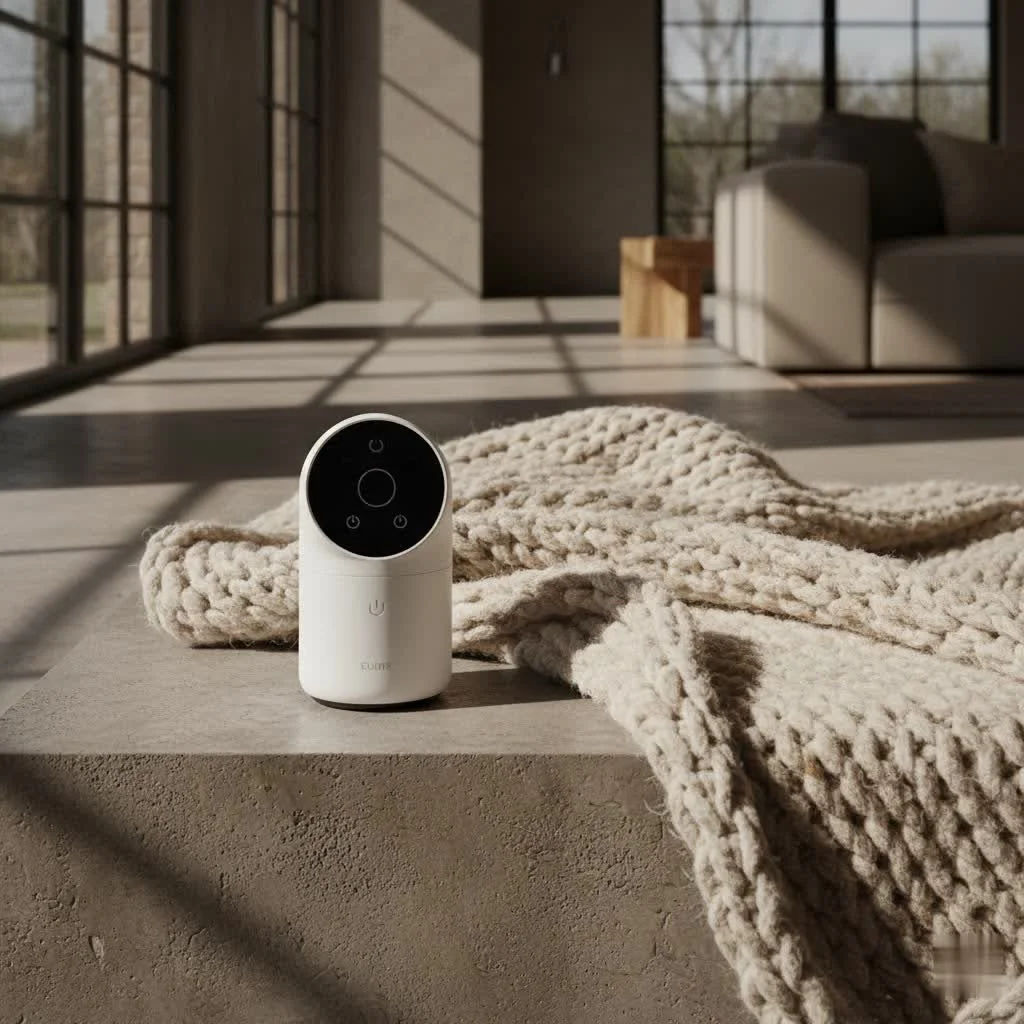
Why a Video Monitor Camera is an Essential Nursery Companion
Gone are the days when a crackling audio monitor was your only window into the nursery. A video monitor camera provides a live visual feed, allowing you to not just hear but see your baby. This visual confirmation is a major upgrade. Is that a whimper or a cry? Are they just stirring, or are they truly awake? A quick glance at your video monitor can answer these questions instantly, often saving you an unnecessary trip into the nursery and preserving precious sleep for both you and your baby. It offers unparalleled peace of mind, letting you observe your child’s movements, ensure they’re safely positioned, and even catch those adorable sleeping smiles.
Decoding the Different Types of Video Monitor Cameras
When you start exploring, you’ll find that not all video monitor cameras are created equal. The primary distinction lies in their connectivity.
Dedicated (Non-Wi-Fi) Video Monitors
These monitors operate on a closed system, typically using digital radio frequency (RF) to establish a direct, secure connection between the camera and a dedicated parent unit.
- How They Work: The camera transmits video and audio signals directly to a handheld receiver, bypassing your home internet network entirely.
- Pros:
- Enhanced Security: Without internet connectivity, the risk of external hacking is significantly reduced, offering a robust “out-of-the-box” secure experience.
- Reliability: Not dependent on your Wi-Fi signal, these units often have excellent range within a home and are less prone to interference or dropouts caused by internet issues.
- Simplicity: Generally easier to set up and use, perfect for parents who prefer a straightforward solution.
- Cons:
- Limited Range: While good within a home, you can’t monitor your baby from outside your property.
- No Remote Access: You won’t be able to check on your little one from your smartphone while at work or out for an evening.
Wi-Fi / Smart Video Monitor Cameras
These modern marvels connect to your home Wi-Fi network, allowing you to monitor your baby from a smartphone app, tablet, or sometimes a dedicated smart parent unit.
- How They Work: The camera streams video and audio data over your home Wi-Fi, which can then be accessed via an app on your smart device, often even when you’re away from home.
- Pros:
- Remote Access: The biggest advantage, allowing you to check on your baby from anywhere with an internet connection.
- Advanced Smart Features: Often integrate with smart home systems and offer a many analytical tools like sleep tracking, crying detection, and temperature alerts.
- Unlimited Range: As long as you have internet access, you can monitor your baby.
- Higher Resolution: Many Wi-Fi models offer superior video quality, often up to 2K or even 4K resolution.
- Cons:
- Security Concerns: Because they connect to the internet, they can be vulnerable to hacking if not properly secured, making robust passwords and encryption paramount.
- Internet Dependency: A weak or dropped Wi-Fi signal can disrupt monitoring.
- Complexity: Setup might be more involved, and some advanced features may require a subscription.
Key Features to Look For in a Video Monitor Camera
Choosing the right video monitor camera means evaluating a range of features that cater to your specific needs and priorities.
Video Quality and Resolution
|
Our Picks for the Best Baby Monitor in 2026
As an Amazon Associate I earn from qualifying purchases.
|
||
| Num | Product | Action |
|---|---|---|
| 1 | HelloBaby 4.3\'\' Video Baby Monitor with 30 Hours Battery, Remote Pan-Tilt-Zoom Baby Monitor No WiFi, Baby Monitor with Camera and Audio, Night Vision, ECO Mode, Two-way Talk, 8 Lullabies, 1000ft Range |

|
| 2 | Jartoo 2K 5.5\" Video Baby Monitor with Camera and Audio,AI Cry Detect 1860ft Long Range Baby Monitor No WiFi Baby Camera Wireless,Clear Night Vision,ANC, 2-Way Talk,White Noise,6000mAh [2025 New] |
|
| 3 | HelloBaby Upgrade 5’’ Baby Monitor with 30-Hour Battery, 2 Cameras Pan-Tilt-Zoom, 1000ft Range Video Audio Baby Monitor No WiFi, VOX, Night Vision, 2-Way Talk, 8 Lullabies and Temperature |
|
| 4 | HelloBaby 6\'\' World First IPS 30H Battery Split-Screen Video Baby Monitor with Camera and Audio, No WiFi, Pan-Tilt-Zoom, VOX, 2-Way Talk, Night Vision, 8 Lullabies, 1000ft, for New Parents/Elderly |
|
| 5 | VTech VM819 Baby Monitor with Camera and Audio, 2.8” Screen Portable Baby Camera, Night Vision, 2-Way Audio, Temperature Sensor and Lullabies, Secure Transmission No WiFi, Ideal for Baby/Elderly/Pet |
|
| 6 | HelloBaby Baby Monitor 6\" World First IPS Screen 30H Battery, Secure No WiFi, Pan Tilt Video Camera with Night Vision, VOX, 2-Way Talk, 1000ft, Portable Video Audio Monitor Ideal for Mom, Elderly, Pet |
|
| 7 | Baby Monitor with Camera and Audio, Video Baby Monitor No WiFi Night Vision 2.4\" LCD Screen Portable Baby Camera Monitor Alarm Lullaby Temperature Sensor and 1000ft, Ideal for Baby/Elderly/Pet |
|
| 8 | Baby Car Camera for Kids - 5\" 1080P IPS Suction Cup Monitor, 120° Wide-Angle & 360° Rotatable, IR Night Vision Easy Installation Backseat |
|
| 9 | HelloBaby No WiFi Baby Monitor 5\" Screen 30-Hour Battery Pan-Tilt-Zoom Video Upgrade with Camera and Audio, Night Vision, VOX, 2-Way Talk, 8 Lullabies and 1000ft Range, HB6550 |
|
| 10 | VTech Upgraded Audio Baby Monitor with Rechargeable Battery, Long Range, and Crystal-Clear Sound |
|
Just like your TV, a higher resolution means a clearer picture. While 720p HD is a good baseline, 1080p Full HD is often preferred for its crispness, allowing you to discern subtle details like your baby’s breathing movements. Some advanced models even boast 2K or 4K resolution for an incredibly sharp image. A wider field of view is also beneficial, letting you see more of the room.
Night Vision Capabilities
Babies spend a lot of time sleeping in dimly lit or dark rooms. An indispensable feature, night vision utilizes infrared LEDs to provide clear, grayscale video even in complete darkness. Look for monitors that offer sharp, detailed images without a noticeable “glow” that could disturb your baby.
Pan, Tilt, and Zoom (PTZ)
Your baby won’t stay perfectly still in the center of the crib forever. A video monitor camera with remote pan, tilt, and zoom (PTZ) functionality allows you to adjust the camera’s view directly from your parent unit or smartphone app. This is incredibly useful for tracking a mobile toddler or simply getting a better angle without entering the room.
Two-Way Audio
This feature acts like an intercom, letting you not only hear your baby but also speak back to them. A quick “I’m here, sweetie” can often soothe a stirring baby back to sleep, or you can communicate with another caregiver in the room.
Connectivity and Range
Consider your home’s layout. If you live in a large house or have thick walls, a dedicated monitor with a strong signal range (often specified in meters or feet) is crucial. For Wi-Fi monitors, ensure your home Wi-Fi is robust enough to handle consistent streaming, especially if you plan to monitor from different parts of your house.
Smart Features (Especially for Wi-Fi Models)
Modern Wi-Fi video monitor cameras come packed with intelligent features designed to make parenting easier:
- Temperature and Humidity Sensors: Keep an eye on the nursery’s environment to ensure optimal comfort.
- Crying Detection and Alerts: Get instant notifications when your baby cries, sometimes even distinguishing between different types of cries.
- Sleep Tracking and Analytics: Gain insights into your baby’s sleep patterns, helping you establish routines.
- Movement Alerts: Be notified if your baby rolls over, sits up, or attempts to climb out of the crib.
- Lullabies and Soothing Sounds: Play calming melodies or white noise directly from the camera unit.
- Split-Screen/Multi-Camera Support: Ideal for parents with multiple children or those who want different angles of the same room.
Battery Life
For dedicated parent units, decent battery life is key. An ideal monitor should offer at least 8-12 hours of continuous video streaming on a single charge, allowing you to move freely around your home without constantly needing to plug it in.
Security and Privacy
This is paramount, especially for Wi-Fi enabled video monitor cameras. Look for features like strong encryption (e.g., AES 128-bit), secure pairing processes, and reputable brands committed to regular firmware updates.
Choosing the Right Video Monitor Camera for Your Family
Selecting the perfect video monitor camera is a personal decision based on your family’s unique lifestyle and needs.
- Assess Your Home Environment: Do you live in an apartment where range isn’t an issue, or a multi-story house where a robust signal is crucial?
- Consider Your Lifestyle: Do you need to check on your baby while you’re at work, or primarily when you’re in another room at home?
- Prioritize Features: Are smart analytics a must-have, or do you prefer a simple, secure, dedicated unit?
- Budget: While price often correlates with features, excellent options exist across all price points. Balance your desired functionalities with what you’re comfortable spending.
As Dr. Elara Vance, a Child Development Technologist and Wocrt.com contributor, often advises, “A baby monitor camera is more than just a gadget; it’s an extension of your watchful eye and a tool to foster independent sleep. Prioritize features that genuinely enhance your peace of mind, not just the latest trend.”
Setting Up Your Video Monitor Camera for Optimal Performance
Once you’ve chosen your video monitor camera, proper setup is crucial for its effectiveness and your baby’s safety.
- Strategic Placement: Position the camera at least 3-6 feet away from the crib to prevent your baby from reaching it, ensuring a clear, unobstructed view of the entire crib area. Avoid placing it where cords could become a hazard.
- Secure Connection: For Wi-Fi monitors, follow the app’s instructions carefully to connect to your home network. For dedicated units, simply power on both the camera and parent unit; they should pair automatically.
- Test All Features: Before relying on it, test the video feed, night vision, audio, two-way talk, and any smart alerts. Walk around your home to check the signal range and ensure consistent performance.
Ensuring Security and Privacy with Your Video Monitor Camera
While the convenience of a video monitor camera is undeniable, especially Wi-Fi enabled ones, security must never be an afterthought. Protecting your family’s privacy is critical.
- Strong, Unique Passwords: This is your first line of defense. Always change default passwords on your monitor and your home Wi-Fi router to something complex, combining letters, numbers, and symbols.
- Two-Factor Authentication (2FA): If your Wi-Fi monitor offers 2FA, enable it immediately. This adds an extra layer of security, requiring a second verification step (like a code sent to your phone) to access your camera feed.
- Regular Firmware Updates: Manufacturers frequently release updates to patch security vulnerabilities. Ensure your monitor’s firmware is always up-to-date. Many smart monitors do this automatically, but some may require manual action.
- Disable Remote Access When Not Needed: If you only use your Wi-Fi monitor at home, consider disabling remote internet access. This closes a potential entry point for hackers.
- Secure Your Home Wi-Fi Network: Use WPA2 or WPA3 encryption for your home network and ensure your router’s firewall is active.
Conclusion
Choosing the right video monitor camera is an investment in your peace of mind and your baby’s safety. Whether you opt for the simplicity and robust security of a dedicated unit or the advanced features and flexibility of a Wi-Fi-enabled smart monitor, understanding the different types and their key features empowers you to make an informed decision. Here at Wocrt.com, our mission is to equip you with the knowledge to navigate this exciting world of baby tech. By prioritizing clear video quality, reliable night vision, essential smart features, and above all, robust security, you can confidently select a video monitor camera that seamlessly integrates into your parenting journey, allowing you to cherish every quiet moment your little one enjoys. Sweet dreams, indeed!
Frequently Asked Questions
What are the main types of video monitor cameras available?
There are two primary types of video monitor cameras: dedicated (non-Wi-Fi) monitors and Wi-Fi/smart monitors. Dedicated monitors use a closed radio frequency system for a secure, local connection, while Wi-Fi monitors connect to your home internet, offering remote access and advanced smart features.
How important is video quality for a baby monitor?
Video quality is very important for a baby monitor, as it allows you to clearly see your baby's movements and expressions. A resolution of 1080p Full HD is generally preferred for crispness, though 720p HD is a good baseline. Some advanced models offer 2K or 4K resolution for even sharper images.
What security features should I look for in a Wi-Fi baby monitor?
For Wi-Fi baby monitors, prioritize features like strong encryption (e.g., AES 128-bit), secure pairing processes, and regular firmware updates from reputable brands. Always use strong, unique passwords and enable two-factor authentication (2FA) if available to protect your privacy.
Can I monitor my baby from outside my home with a video monitor?
Yes, you can monitor your baby from outside your home if you choose a Wi-Fi/smart video monitor camera. These devices connect to your home internet and allow you to access the camera feed via a smartphone app from anywhere with an internet connection. Dedicated (non-Wi-Fi) monitors do not offer this remote access.
What is Pan, Tilt, and Zoom (PTZ) on a baby monitor?
Pan, Tilt, and Zoom (PTZ) functionality on a baby monitor allows you to remotely adjust the camera's view from your parent unit or smartphone app. This feature is incredibly useful for tracking a mobile toddler or getting a better angle of your baby without needing to enter the nursery.
Set Up Your Video Monitor Camera for Optimal Performance
Properly setting up your video monitor camera is crucial for its effectiveness and your baby's safety. Follow these steps to ensure optimal performance.
Place the camera at least 3-6 feet away from the crib to prevent your baby from reaching it. Ensure it has a clear, unobstructed view of the entire crib area and avoid any potential cord hazards.
For Wi-Fi monitors, carefully follow the app's instructions to connect to your home network. For dedicated units, simply power on both the camera and parent unit; they should pair automatically for immediate use.
Before relying on the monitor, test the video feed, night vision, audio, two-way talk, and any smart alerts. Walk around your home to check the signal range and ensure consistent performance across different areas.
Smart home that does not lock you in
Free PDF — protocol compatibility matrix for 30 hubs and devices.
We got a smart monitor for the remote access feature, and it’s been a lifesaver when we’re at work and the sitter is with our little one. The sleep tracking is also a cool bonus, helping us understand his patterns better. My only minor gripe is that sometimes the app can be a little slow to connect, but once it’s up, the 1080p Full HD video quality is excellent.
I was so torn between a dedicated monitor and a Wi-Fi one, but after reading about the enhanced security of non-Wi-Fi options, I went with a dedicated unit. It’s been fantastic for peace of mind, knowing there’s no internet vulnerability. The night vision is super clear, and I can see every little movement. Definitely recommend prioritizing security like I did!
This guide really helped me understand why a video monitor camera is an essential nursery companion. I used to just have an audio monitor, and the visual confirmation of seeing my baby is truly a game-changer. No more guessing if that’s a whimper or a cry! It’s made such a difference in reducing my anxiety.
I chose a monitor that advertised AES 128-bit encryption, which sounded really secure. While the video quality is good during the day, the night vision isn’t as crisp as I’d hoped, making it a bit hard to tell if my baby is just stirring or actually awake sometimes. It does the job, but I might look for one with better night vision next time.