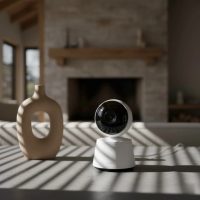
As parents, there’s a primal instinct to keep our little ones safe, sound, and always in sight. But let’s be real, you can’t be in the nursery every second of every day (though many of us wish we could!). That’s where a reliable crib camera steps in, offering a crucial “extra set of eyes” and a powerful sense of reassurance. Far beyond simple audio monitors of the past, today’s advanced crib cameras leverage cutting-edge technology to give you a detailed view into your baby’s world, helping you stay connected and informed, whether you’re in the next room or miles away. Selecting the right crib camera can transform anxious moments into calm confidence, allowing you to tackle your to-do list, catch a few precious minutes of rest, or simply enjoy a quiet moment, knowing your child is being carefully monitored.

What Exactly is a Crib Camera?
At its core, a crib camera is a specialized video monitoring device designed specifically for the nursery environment. Unlike a general home security camera, a crib camera focuses on the intimate details of your baby’s space, often integrating features tailored to infant care and safety. These cameras typically provide a live video feed, often accompanied by audio, transmitted to a dedicated parent unit or a smartphone app. They are built to capture the subtle nuances of a sleeping baby, detect critical changes, and offer peace of mind that a standard security camera might miss.
Essential Features of a Top-Tier Crib Camera
When investing in a crib camera, understanding the array of available features is key to making an informed decision. The right combination of capabilities can significantly enhance its utility and your peace of mind.
Crystal-Clear Video and Night Vision
One of the most fundamental aspects of any crib camera is its ability to deliver clear, crisp images. Modern cameras boast high-definition (HD) resolutions, with many offering 2K, 3K, or even 4K clarity, allowing you to zoom in on your baby’s face without pixelation. Just as vital is superior night vision. Babies spend many hours sleeping in dimly lit or dark rooms, so infrared (IR) night vision is non-negotiable. Look for models that provide a sharp, well-defined black-and-white image in complete darkness, ensuring you can see every stir and subtle movement.
Two-Way Audio and Sound Detection
Beyond seeing, hearing your baby is paramount. A good crib camera includes sensitive microphones to pick up soft coos, cries, or even breathing sounds. Two-way audio is a fantastic feature, allowing you to speak to your baby from another room, offering comfort and reassurance with your voice without needing to physically enter the nursery. Many advanced cameras also include smart sound detection, capable of distinguishing between general room noise and specific baby cries, sending targeted alerts to your device.
Smart Monitoring and AI Capabilities
|
Our Picks for the Best Baby Monitor in 2026
As an Amazon Associate I earn from qualifying purchases.
|
||
| Num | Product | Action |
|---|---|---|
| 1 | VTech VM819 Baby Monitor with Camera and Audio, 2.8” Screen Portable Baby Camera, Night Vision, 2-Way Audio, Temperature Sensor and Lullabies, Secure Transmission No WiFi, Ideal for Baby/Elderly/Pet |

|
| 2 | HelloBaby 6\'\' World First IPS 30H Battery Split-Screen Video Baby Monitor with Camera and Audio, No WiFi, Pan-Tilt-Zoom, VOX, 2-Way Talk, Night Vision, 8 Lullabies, 1000ft, for New Parents/Elderly |
|
| 3 | VTech Upgraded Audio Baby Monitor with Rechargeable Battery, Long Range, and Crystal-Clear Sound |
|
| 4 | HelloBaby No WiFi Baby Monitor 5\" Screen 30-Hour Battery Pan-Tilt-Zoom Video Upgrade with Camera and Audio, Night Vision, VOX, 2-Way Talk, 8 Lullabies and 1000ft Range, HB6550 |
|
| 5 | Baby Car Camera for Kids - 5\" 1080P IPS Suction Cup Monitor, 120° Wide-Angle & 360° Rotatable, IR Night Vision Easy Installation Backseat |
|
| 6 | HelloBaby Upgrade 5’’ Baby Monitor with 30-Hour Battery, 2 Cameras Pan-Tilt-Zoom, 1000ft Range Video Audio Baby Monitor No WiFi, VOX, Night Vision, 2-Way Talk, 8 Lullabies and Temperature |
|
| 7 | HelloBaby Baby Monitor 6\" World First IPS Screen 30H Battery, Secure No WiFi, Pan Tilt Video Camera with Night Vision, VOX, 2-Way Talk, 1000ft, Portable Video Audio Monitor Ideal for Mom, Elderly, Pet |
|
| 8 | HelloBaby 4.3\'\' Video Baby Monitor with 30 Hours Battery, Remote Pan-Tilt-Zoom Baby Monitor No WiFi, Baby Monitor with Camera and Audio, Night Vision, ECO Mode, Two-way Talk, 8 Lullabies, 1000ft Range |
|
| 9 | Baby Monitor with Camera and Audio, Video Baby Monitor No WiFi Night Vision 2.4\" LCD Screen Portable Baby Camera Monitor Alarm Lullaby Temperature Sensor and 1000ft, Ideal for Baby/Elderly/Pet |
|
| 10 | Jartoo 2K 5.5\" Video Baby Monitor with Camera and Audio,AI Cry Detect 1860ft Long Range Baby Monitor No WiFi Baby Camera Wireless,Clear Night Vision,ANC, 2-Way Talk,White Noise,6000mAh [2025 New] |
|
This is where crib cameras truly shine and differentiate themselves. Artificial intelligence (AI) has revolutionized baby monitoring, offering features that go far beyond basic surveillance.
- Movement Alerts: Notifies you if your baby stirs, wakes up, or moves outside a pre-defined “safe zone.”
- Covered Face Alerts: Some sophisticated cameras can detect if a blanket or object is covering your baby’s face, sending an immediate alert. This is an invaluable safety feature for newborns.
- Danger Zone Detection & Auto-Tracking: For mobile infants and toddlers, you can set virtual boundaries. If your child approaches a designated “danger zone” (like the edge of the crib or a doorway), the camera alerts you. Auto-tracking features can follow your child’s movement around the crib or room, ensuring they always stay in frame.
- Temperature and Humidity Sensors: These built-in sensors monitor the nursery environment, alerting you if the room becomes too hot, cold, or humid, helping maintain optimal sleeping conditions.
- Sleep Tracking and Analytics: Premium crib cameras can analyze sleep patterns, duration, and quality, providing insights that can help you understand and improve your baby’s sleep habits. This data can be incredibly empowering for parents trying to establish healthy routines.
Connectivity and Security: Wi-Fi vs. Non-Wi-Fi
The connectivity method of your crib camera is a significant decision.
- Wi-Fi Enabled Smart Monitors: These connect to your home’s Wi-Fi network, allowing you to view the feed on your smartphone or tablet via an app, often from anywhere with an internet connection.
- Pros: Remote access, advanced smart features, integration with other smart home devices, often higher resolution.
- Cons: Reliance on internet connection, potential security concerns if not properly secured, possible subscription fees for some advanced features or cloud storage.
- Non-Wi-Fi (FHSS or DECT) Monitors: These use a dedicated radio frequency to transmit audio and video to a handheld parent unit.
- Pros: No internet required, greater privacy, immune to Wi-Fi outages, no subscription fees.
- Cons: Limited range, fewer smart features, parent unit can be bulky.
Regardless of your choice, security is paramount. Look for crib cameras that offer strong data encryption, two-factor authentication, and options for local storage (like an SD card) to keep your baby’s images private and secure, away from distant company servers.
Flexible Mounting Options
The placement of your crib camera directly impacts its effectiveness. Many models offer versatile mounting solutions:
- Crib Mounts: These attach directly to the crib rail, often with a flexible arm, providing a close-up view. Ensure it’s secure and out of your baby’s reach.
- Wall Mounts: Mounting the camera high on a wall or in a corner offers a broad, unobstructed “bird’s-eye view” of the entire crib and surrounding area. This is often recommended for comprehensive coverage.
- Shelf or Dresser Placement: A sturdy, elevated surface at least 3-6 feet away from the crib can also provide a good vantage point.
Many cameras also offer remote pan, tilt, and zoom (PTZ) functionality, allowing you to adjust the camera’s view directly from your parent unit or smartphone, which is incredibly useful as your baby moves around or grows.
Finding the Perfect Crib Camera for Your Family
Choosing the right crib camera means balancing features with your specific family needs and priorities.
Consider Your Lifestyle
Are you a working parent who needs to check in remotely during the day? Do you travel frequently? Or do you primarily need monitoring within your home? Wi-Fi cameras offer unparalleled flexibility for remote access, while non-Wi-Fi options provide consistent monitoring without internet dependency, ideal for smaller homes or those prioritizing privacy above all else. If you have multiple caregivers, a camera with easy app sharing and customizable access controls can be a huge benefit.
Prioritize Safety Features
Beyond basic monitoring, consider how the crib camera enhances safety. Features like covered face alerts, cry detection, and danger zone notifications provide an added layer of vigilance. Crucially, always ensure proper cord management. Cords should be secured and kept a minimum of 3 feet (0.9 meters) away from the crib to prevent entanglement hazards.
Budget Considerations
Crib cameras range widely in price, from basic models to high-tech systems with subscriptions for advanced analytics. Determine which features are “must-haves” versus “nice-to-haves” to find a camera that fits your budget without compromising essential safety and functionality. Many mid-range options now offer premium features without breaking the bank.
Expert Insight
“When selecting a crib camera, parents often focus on resolution and smart features, which are important,” advises Dr. Evelyn Reed, a renowned pediatrician and child development specialist. “However, I always emphasize two critical factors: robust security protocols for data privacy and intuitive design. A camera with too many complicated features or an insecure connection can add more stress than it alleviates. Simplicity, reliability, and unquestionable data protection should always be at the forefront of your decision-making.”
Setting Up Your Crib Camera: A Step-by-Step Guide
Proper installation is crucial for both safety and optimal performance of your crib camera.
Step 1: Choose the Right Location
Identify a spot that gives you a clear, unobstructed view of your baby in the crib. The ideal placement is typically high on a wall or a sturdy shelf, providing an overhead or “bird’s-eye” perspective. Crucially, position the camera at least 3 to 6 feet (0.9 to 1.8 meters) away from the crib to keep cords out of reach and minimize potential EMF exposure, as some studies suggest radiation levels decrease significantly with distance. If it’s a Wi-Fi camera, ensure the chosen location has a strong, stable Wi-Fi signal.
Step 2: Securely Mount the Camera
Whether you’re using a wall mount, a crib clamp, or placing it on a shelf, ensure the camera is firmly secured. If wall-mounting, use appropriate screws and anchors. For crib clamps, double-check that it’s tightly fastened and cannot be dislodged by a curious toddler. Always use cord covers or clips to neatly run any power cords along walls or behind furniture, completely out of your baby’s reach.
Step 3: Power On and Connect
Plug the camera into a power outlet. Follow the manufacturer’s instructions to pair the camera with its dedicated parent unit or download the corresponding app to your smartphone. This typically involves a simple setup wizard. Make sure to enable all security features like two-factor authentication during the initial setup.
Step 4: Test and Adjust
Once connected, test the camera thoroughly. Check the live video feed from both day and night vision modes. Test the two-way audio, movement detection, and any smart alerts you’ve configured. Adjust the camera’s angle (or use PTZ functions) to ensure you have the best possible view of your baby in all sleeping positions.
Troubleshooting Common Crib Camera Issues
Even the best crib cameras can sometimes encounter hiccups. Here are a few common issues and quick fixes:
- Poor Signal or Connectivity Issues: If you’re experiencing choppy video or dropped connections, try moving the camera closer to your Wi-Fi router or repositioning the parent unit. Ensure there are no large metallic objects or other electronics causing interference.
- False Alarms: If your camera is constantly sending alerts when nothing is happening, you might need to adjust the sensitivity settings for motion or sound detection. Environmental factors like ceiling fans or pets can sometimes trigger false alarms.
- Battery Life on Parent Unit/Phone: Dedicated parent units often have limited battery life. Keep them charged, especially overnight. For app-based monitors, constant streaming can drain your phone’s battery quickly, so consider background audio options.
- Night Vision Clarity: If night vision appears blurry or too dark, ensure the camera lens is clean and there are no obstructions. Sometimes, ambient light from outside a window can interfere with infrared sensors.
Frequently Asked Questions (FAQ)
Is a crib camera truly necessary?
While not strictly necessary for every family, a crib camera offers unparalleled peace of mind, especially for new parents, those with larger homes, or parents needing to monitor their child from a distance. It allows you to observe your baby’s sleep patterns and quickly respond to their needs without constantly entering the room, which can disturb their sleep.
Are crib cameras safe regarding radiation or hacking?
Reputable crib camera brands design their products with safety standards in mind. Wi-Fi cameras do emit electromagnetic frequencies (EMF), similar to other wireless devices. Placing the camera at least 3-6 feet from the crib is recommended to minimize exposure. Regarding hacking, choose cameras with strong encryption, two-factor authentication, and change default passwords to ensure your feed remains private. Opting for local storage can also enhance privacy.
Can I use a regular security camera instead of a dedicated crib camera?
While a security camera can provide video surveillance, it typically lacks the specialized features of a crib camera, such as specific cry detection, covered face alerts, temperature monitoring, or sleep analytics. Security cameras are designed for general surveillance, not the nuanced needs of infant care.
How far should a crib camera be from the baby?
For safety and to minimize any potential EMF exposure, it is widely recommended to place a crib camera a minimum of 3 feet (0.9 meters) away from the crib. Many experts suggest extending this to 6 feet (1.8 meters) for added precaution. Always ensure cords are completely out of reach.
Do crib cameras work without Wi-Fi?
Yes, many crib cameras, often referred to as “non-Wi-Fi” or “closed-circuit” monitors, do not require an internet connection. These systems use dedicated radio frequencies (like FHSS or DECT technology) to transmit video and audio directly to a handheld parent unit. They offer a secure and reliable connection within a specified range, ideal for those concerned about Wi-Fi dependence or security.
Conclusion
Choosing the right crib camera is a pivotal decision for any parent, providing invaluable comfort and a watchful eye over your little one. By understanding the diverse features, prioritizing safety, and considering your family’s unique needs, you can confidently select a crib camera that serves as a trusted partner in your parenting journey. From crystal-clear night vision to advanced AI alerts, the right crib camera empowers you to stay connected, respond effectively, and ultimately, find more moments of peace. Embrace the technology that helps you nurture and protect your baby, ensuring that precious sleep is truly peaceful for everyone.
Smart home that does not lock you in
Free PDF — protocol compatibility matrix for 30 hubs and devices.