Bringing a new baby home is an exhilarating journey, filled with immense joy and, let’s be honest, a touch of anxiety. As a seasoned expert in baby monitoring technology, I’ve seen firsthand how a reliable Video Monitor can transform those early months, offering parents an invaluable extra set of eyes and ears. Gone are the days of constantly peeking into the nursery or straining to hear every tiny whimper; today’s advanced video monitors provide crystal-clear insights into your little one’s world, bringing unparalleled peace of mind right to your fingertips. This comprehensive guide will walk you through everything you need to know about choosing, using, and optimizing a video monitor, ensuring you make the best decision for your family.
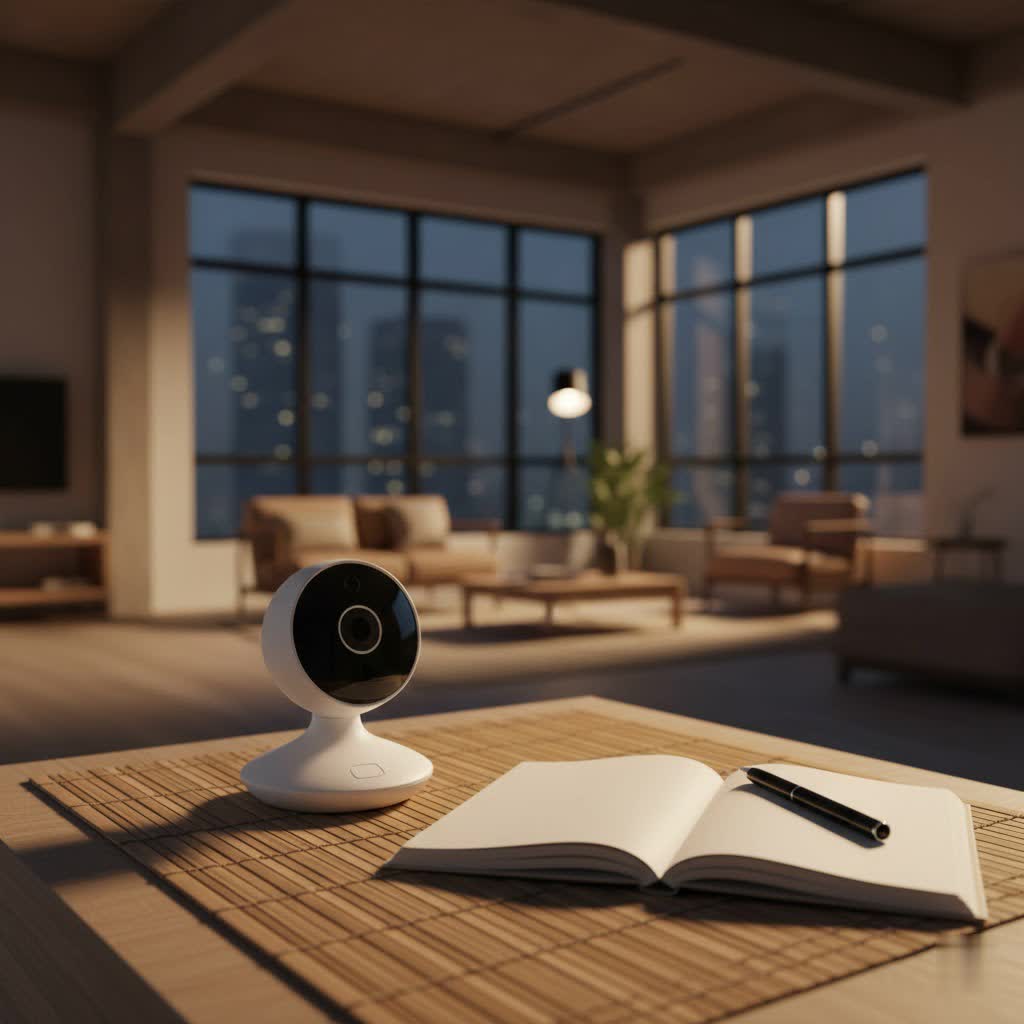
Why a Video Monitor is a Game Changer for Parents
The primary appeal of a video monitor lies in its ability to go beyond mere sound. While an audio-only device can alert you to cries, a video monitor lets you see what’s happening. Is your baby fussing in their sleep or genuinely awake? Are they tangled in a blanket, or simply kicking their legs happily? Visual confirmation answers these questions instantly, reducing unnecessary trips to the nursery and allowing you to differentiate between a self-soothing moment and a real need for intervention. This visual assurance fosters greater parental calm and, surprisingly, can even lead to better sleep for you, knowing you can check on your baby with just a glance.
Decoding the Types of Baby Video Monitors
When diving into the world of baby video monitors, you’ll primarily encounter two main categories, each with its own set of advantages.
Traditional (Non-Wi-Fi) Video Monitors
These monitors operate on dedicated radio frequencies, transmitting video and audio from a camera to a specific parent unit with a screen. Think of it as a private, secure connection just for your home.
- How They Work: A camera unit in the nursery sends signals directly to a handheld parent unit.
- Pros: They offer a highly secure local connection that doesn’t rely on your home internet. This makes them incredibly reliable for travel or if your Wi-Fi signal is inconsistent. Setup is typically plug-and-play, making them very user-friendly. Many parents appreciate the dedicated screen, freeing up their smartphones.
- Cons: Their range is usually limited, and thick walls or multiple floors can sometimes interfere with the signal. They also generally offer fewer “smart” features compared to their Wi-Fi counterparts.
|
Our Picks for the Best Baby Monitor in 2026
As an Amazon Associate I earn from qualifying purchases.
|
||
| Num | Product | Action |
|---|---|---|
| 1 | HelloBaby No WiFi Baby Monitor 5\" Screen 30-Hour Battery Pan-Tilt-Zoom Video Upgrade with Camera and Audio, Night Vision, VOX, 2-Way Talk, 8 Lullabies and 1000ft Range, HB6550 |

|
| 2 | HelloBaby 6\'\' World First IPS 30H Battery Split-Screen Video Baby Monitor with Camera and Audio, No WiFi, Pan-Tilt-Zoom, VOX, 2-Way Talk, Night Vision, 8 Lullabies, 1000ft, for New Parents/Elderly |
|
| 3 | Baby Monitor with Camera and Audio, Video Baby Monitor No WiFi Night Vision 2.4\" LCD Screen Portable Baby Camera Monitor Alarm Lullaby Temperature Sensor and 1000ft, Ideal for Baby/Elderly/Pet |
|
| 4 | VTech VM819 Baby Monitor with Camera and Audio, 2.8” Screen Portable Baby Camera, Night Vision, 2-Way Audio, Temperature Sensor and Lullabies, Secure Transmission No WiFi, Ideal for Baby/Elderly/Pet |
|
| 5 | Baby Car Camera for Kids - 5\" 1080P IPS Suction Cup Monitor, 120° Wide-Angle & 360° Rotatable, IR Night Vision Easy Installation Backseat |
|
| 6 | HelloBaby Upgrade 5’’ Baby Monitor with 30-Hour Battery, 2 Cameras Pan-Tilt-Zoom, 1000ft Range Video Audio Baby Monitor No WiFi, VOX, Night Vision, 2-Way Talk, 8 Lullabies and Temperature |
|
| 7 | HelloBaby Baby Monitor 6\" World First IPS Screen 30H Battery, Secure No WiFi, Pan Tilt Video Camera with Night Vision, VOX, 2-Way Talk, 1000ft, Portable Video Audio Monitor Ideal for Mom, Elderly, Pet |
|
| 8 | VTech Upgraded Audio Baby Monitor with Rechargeable Battery, Long Range, and Crystal-Clear Sound |
|
| 9 | Jartoo 2K 5.5\" Video Baby Monitor with Camera and Audio,AI Cry Detect 1860ft Long Range Baby Monitor No WiFi Baby Camera Wireless,Clear Night Vision,ANC, 2-Way Talk,White Noise,6000mAh [2025 New] |
|
| 10 | HelloBaby 4.3\'\' Video Baby Monitor with 30 Hours Battery, Remote Pan-Tilt-Zoom Baby Monitor No WiFi, Baby Monitor with Camera and Audio, Night Vision, ECO Mode, Two-way Talk, 8 Lullabies, 1000ft Range |
|
Smart (Wi-Fi-Enabled) Video Monitors
Leveraging your home internet, these monitors connect to a smartphone app, allowing you to view your baby from virtually anywhere.
- How They Work: The camera connects to your home Wi-Fi network and streams video and audio to a dedicated app on your smartphone or tablet.
- Pros: The biggest draw is unlimited range, allowing you to check on your baby from work, a date night, or even just another room in a large house. They often come packed with advanced features like sleep tracking, virtual “danger zones,” and integration with other smart home devices.
- Cons: They rely entirely on a stable Wi-Fi connection, meaning outages can disrupt monitoring. Security is a key consideration; always choose models with robust encryption to protect your privacy. Some advanced features might require a monthly subscription.
Hybrid/Dual-Mode Monitors
A growing trend, these monitors offer the best of both worlds, providing a dedicated parent unit for local monitoring while also featuring Wi-Fi connectivity for remote access via an app. This flexibility is a significant advantage for many families.
Essential Features: What to Look for in a Quality Video Monitor
Choosing a video monitor isn’t just about picking a device; it’s about investing in peace of mind. Here are the crucial features that make a real difference:
Crystal Clear Video and Night Vision
The whole point of a video monitor is to see your baby clearly. Look for models offering High Definition (HD) resolution, preferably 1080p, to ensure you can distinguish every little detail. Night vision is non-negotiable, as most monitoring happens in the dark. While traditional infrared night vision provides a clear black-and-white image, some advanced models now offer color night vision, giving you a truer sense of the nursery environment even in low light.
Superior Audio and Two-Way Talk
Beyond the visuals, high-quality audio is essential. Good video monitors feature noise reduction technology to filter out ambient sounds, ensuring you hear your baby’s gentle coos and cries without distracting background static. A Voice Activated (VOX) mode can save battery by only activating the screen when sound is detected. Two-way talk, also known as two-way intercom, allows you to soothe your baby with your voice from another room, which can often be enough to settle them back to sleep without needing to enter the nursery.
Reliable Connectivity and Range
For non-Wi-Fi models, signal strength and range are vital. Consider your home’s layout; an older house with thick walls or multiple stories might require a monitor with a stronger signal. For Wi-Fi video monitors, secure, encrypted data transmission is paramount to protect your family’s privacy. A stable connection is key, regardless of the type, so you never miss a moment.
Dynamic Camera Controls: Pan, Tilt, Zoom
As your baby grows and becomes more mobile, a static camera view might not cut it. Features like pan, tilt, and zoom (PTZ) allow you to remotely adjust the camera’s angle and zoom in for a closer look. This is invaluable for tracking a crawling baby, monitoring multiple children in one room, or simply getting the best possible view of your little one without disturbing them. Wide-angle lenses are also a great feature, capturing more of the room’s environment.
Smart Features for Modern Parenting
Today’s video monitors offer an array of “smart” capabilities designed to simplify parenting:
- Motion and Sound Alerts: Get instant notifications on your parent unit or smartphone if your baby stirs, cries, or makes a significant sound.
- Temperature and Humidity Sensors: Many monitors include environmental sensors that alert you if the nursery becomes too hot, cold, or humid, helping you maintain an optimal sleeping environment.
- Sleep Tracking and Analytics: Advanced Wi-Fi monitors can analyze sleep patterns, providing insights and even personalized tips to improve your baby’s sleep. Note that some of these features might require a subscription.
- Virtual “Danger Zones”: For curious toddlers, some smart video monitors allow you to set virtual boundaries, alerting you if your child enters an off-limits area.
- Lullabies, White Noise, and Night Lights: Built-in features to help soothe your baby to sleep and create a comforting environment.
Battery Life and Portability
The parent unit of your video monitor should offer a decent battery life, especially if you plan to carry it around the house. Aim for models that provide at least 6 hours of continuous video streaming on a single charge. Portability is also key if you intend to use the monitor when visiting grandparents or on vacation.
User-Friendliness and Expandability
An intuitive interface with clear controls makes daily use hassle-free, particularly during those bleary-eyed late-night checks. If you’re planning for more children or want to monitor different rooms, look for a system that allows for multiple cameras.
How to Choose the Perfect Video Monitor for Your Family
Choosing a video monitor is a personal decision. Here’s how to navigate the options:
- Assess Your Needs: Consider your home size, Wi-Fi reliability, your budget, and which features are non-negotiable for your peace of mind. Do you need remote access, or is local monitoring sufficient?
- Prioritize Security and Privacy: Especially for Wi-Fi models, ensure the brand has a strong reputation for data encryption and security protocols. Regular firmware updates are a good sign.
- Wi-Fi vs. Non-Wi-Fi vs. Hybrid: If you value simplicity, local connection, and portability above all else, a non-Wi-Fi video monitor might be your best bet. If advanced features, unlimited range, and smartphone access are priorities, a smart Wi-Fi monitor is ideal. A hybrid offers a flexible middle ground.
- Read Reviews: Look for real-world experiences regarding signal strength, battery life, app stability, and customer support.
“Choosing a video monitor isn’t just about features; it’s about finding the right balance of technology and peace of mind that fits your family’s unique rhythm,” advises Dr. Evelyn Reed, a renowned Pediatric Technology Specialist.
Setting Up Your Video Monitor for Optimal Safety and Performance
Once you’ve chosen your ideal video monitor, proper setup is crucial for both safety and functionality.
Camera Placement
Position the camera strategically to get a clear, unobstructed view of the crib. Mount it high enough (at least 3 feet/1 meter away from the crib) so that it’s out of your baby’s reach and provides a good overhead angle. For Wi-Fi models, place it relatively close to your router for the strongest signal. Avoid pointing the camera directly at windows or strong light sources, which can wash out the image.
Cable Management
This is a critical safety point. All power cords must be secured and completely out of your baby’s reach to prevent entanglement and choking hazards. Use cable clips or covers to run cords along walls.
Initial Pairing/App Setup
Follow the manufacturer’s instructions carefully for pairing the camera with the parent unit or connecting it to your home Wi-Fi and setting up the smartphone app. Most modern video monitors are designed for straightforward installation.
Troubleshooting Common Video Monitor Hiccups
Even the best video monitors can sometimes encounter minor issues. Here are quick solutions for common problems:
- Signal Loss/Interference: For non-Wi-Fi models, try moving the parent unit closer to the camera or away from other electronics (microwaves, cordless phones) that might cause interference. For Wi-Fi monitors, check your home Wi-Fi signal strength and consider repositioning your router or adding a Wi-Fi extender.
- Poor Video/Audio Quality: Ensure the camera lens is clean. Check settings for resolution adjustments. If using Wi-Fi, a weak signal can degrade quality.
- Battery Issues: Always fully charge parent units before initial use. If battery life significantly diminishes, it might be time for a replacement battery, if applicable.
- Wi-Fi Connection Drops: Restart both your monitor and your home router. Ensure your monitor’s firmware and app are up to date.
FAQs
Q: Are Wi-Fi video monitors safe from hacking?
A: Reputable Wi-Fi video monitors use strong encryption (like AES 128-bit) and secure protocols to protect your data. Always choose brands known for security, use strong, unique passwords, and keep your monitor’s firmware and app updated to mitigate risks.
Q: Can I use a video monitor for twins or multiple children?
A: Absolutely! Many video monitor systems are expandable, allowing you to connect multiple cameras to one parent unit or smartphone app. Some parent units even offer split-screen viewing.
Q: How far can a non-Wi-Fi video monitor reach?
A: The range of non-Wi-Fi video monitors varies significantly, typically from 150 to 1000 feet (45 to 300 meters) in open spaces. However, this range is heavily impacted by walls, floors, and other obstructions in your home.
Q: Do I really need all the “smart” features?
A: It depends on your parenting style and budget. Basic video and audio are sufficient for many, while others find smart features like sleep tracking, temperature alerts, or cry detection incredibly helpful. Prioritize features that genuinely offer you more peace of mind.
Q: What’s the difference between night vision and color night vision?
A: Standard night vision uses infrared light to produce a clear, black-and-white image in low light. Color night vision uses more advanced sensors and processing to render images in color, even in dim conditions, providing a more natural view of the nursery.
Q: Can baby monitors track breathing?
A: Yes, some advanced smart video monitors, like the Miku Pro, offer contactless breathing tracking technology. There are also wearable monitors (often integrated with camera systems, like Owlet) that track breathing and heart rate. These features can provide an added layer of reassurance for parents, but always consult with your pediatrician regarding medical advice.
Conclusion
A high-quality video monitor is more than just a gadget; it’s a partner in your parenting journey, offering reassurance and connection when you can’t be right next to your little one. By understanding the different types, prioritizing essential features, and setting up your device safely, you can confidently choose a video monitor that seamlessly integrates into your family’s life. Embrace the clarity and convenience that modern technology brings, allowing you to enjoy those precious early years with greater peace of mind and less worry. Here at Wocrt, we’re dedicated to helping you make informed choices, so you can focus on what truly matters: cherishing every moment with your baby.
