The best infant monitor for most families is a video monitor with night vision and two-way talk, offering visual confirmation and communication capabilities for enhanced peace of mind. With over a decade of experience in child monitoring technology, Wocrt recommends prioritizing features like HD resolution, secure connectivity, and reliable battery life to ensure your baby’s safety and your comfort. This guide will help you select a monitor that meets your family’s unique needs.
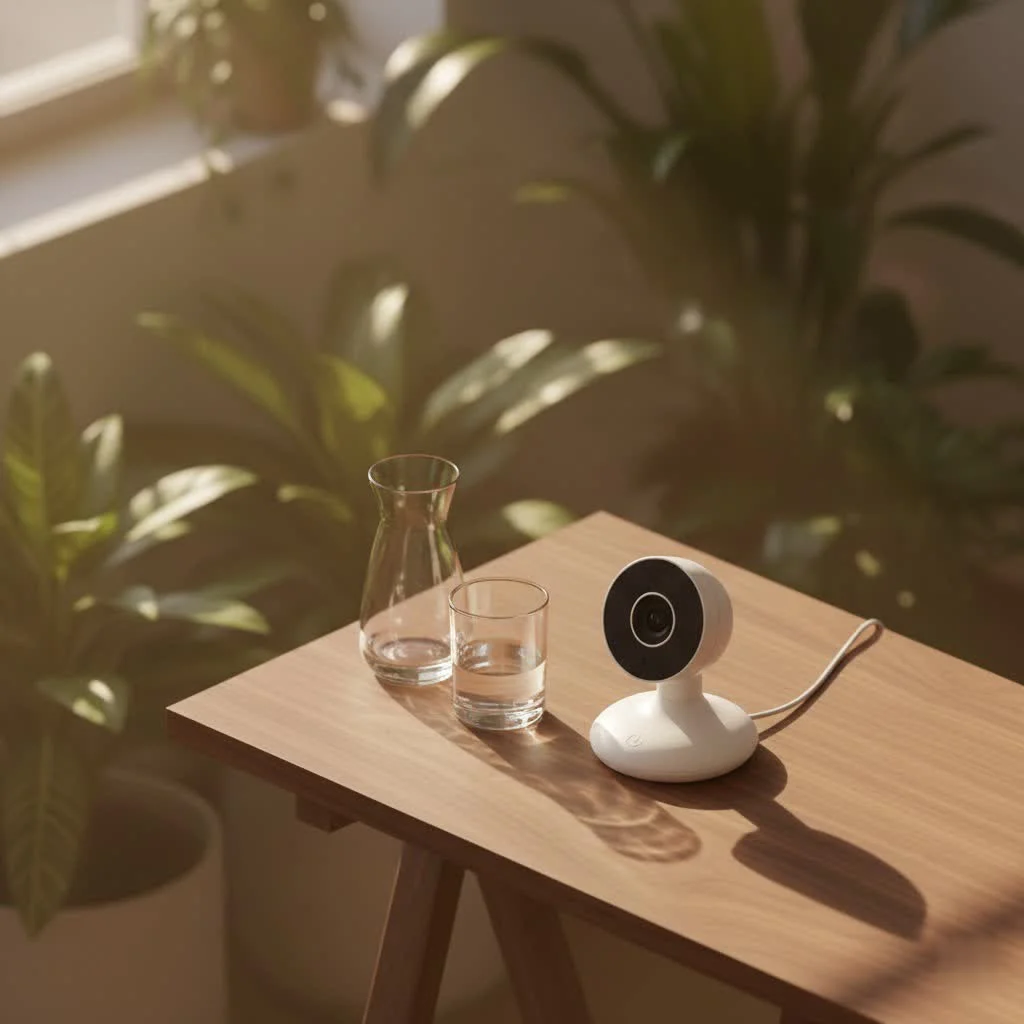
Navigating the World of Infant Monitors: Which Type is Right for You?
The market offers various infant monitor types, each with distinct advantages for different parenting styles and household setups. For expert smart baby reviews on this site.
Audio-Only Monitors: The Simplicity Choice
These classic monitors focus solely on sound, ideal for parents who primarily need to hear if their baby is crying or stirring.
- Pros: Generally affordable, simple to use, excellent battery life, and often very portable.
- Cons: No visual feedback, which can sometimes leave parents wondering what’s happening.
- Best for: Parents on a budget, those with smaller homes, or individuals who prefer a minimalist approach to monitoring.
Video Monitors: Seeing is Believing
Video monitors add a visual component, allowing real-time viewing of your baby. This provides an extra layer of reassurance for many parents.
- Key Features: Most include night vision for clear viewing in the dark, and many offer pan, tilt, and zoom functions for better angles.
- Pros: Visual confirmation, peace of mind from seeing your baby, often include additional features like temperature sensors or two-way talk.
- Cons: Typically more expensive than audio-only models, battery life can be shorter, and screen quality varies.
- Best for: Most modern families, especially first-time parents or those who want visual reassurance.
Smart & Wi-Fi Monitors: The Tech-Savvy Parent’s Ally
These monitors connect to your home’s Wi-Fi network, enabling you to view footage and receive alerts directly on your smartphone or tablet, even when you’re away from home.
- App Connectivity: Control camera functions, view historical data, and customize alerts from your device.
- Advanced Sensors: Often include movement tracking, cry detection, and sleep analytics.
- Remote Access: Check in on your baby from work, a date night, or even another country.
- Security Concerns: It’s crucial to ensure these monitors have robust encryption to protect your privacy.
- Pros: Unparalleled flexibility and features, remote access, integration with smart home systems.
- Cons: Reliance on Wi-Fi, potential security vulnerabilities if not properly secured, generally higher price point.
- Best for: Parents who are comfortable with technology, travel frequently, or desire advanced features and remote access.
Movement/Sensor Monitors: Adding an Extra Layer of Peace
Often integrated with video or smart monitors, these specialized devices detect your baby’s movement or breathing.
- Types: Under-mattress pads or wearable sensors.
- Specialized Use: Provide alerts if no movement is detected for a certain period.
- Pros: Can offer an extreme level of reassurance, especially for anxious parents.
- Cons: Can be prone to false alarms, may add to parental anxiety if over-relied upon, and are generally more expensive.
- Best for: Parents seeking an additional layer of monitoring, though it’s important to discuss with a pediatrician if you have specific concerns.
Essential Features to Look for in the Best Infant Monitor
Once you’ve decided on the monitor type, consider these features to enhance your monitoring experience and narrow down the best infant monitor for your family.
Crystal Clear Vision & Sound: Resolution and Audio Quality
|
Our Picks for the Best Baby Monitor in 2026
As an Amazon Associate I earn from qualifying purchases.
|
||
| Num | Product | Action |
|---|---|---|
| 1 | VTech Upgraded Audio Baby Monitor with Rechargeable Battery, Long Range, and Crystal-Clear Sound |

|
| 2 | Jartoo 2K 5.5\" Video Baby Monitor with Camera and Audio,AI Cry Detect 1860ft Long Range Baby Monitor No WiFi Baby Camera Wireless,Clear Night Vision,ANC, 2-Way Talk,White Noise,6000mAh [2025 New] |
|
| 3 | HelloBaby 4.3\'\' Video Baby Monitor with 30 Hours Battery, Remote Pan-Tilt-Zoom Baby Monitor No WiFi, Baby Monitor with Camera and Audio, Night Vision, ECO Mode, Two-way Talk, 8 Lullabies, 1000ft Range |
|
| 4 | HelloBaby 6\'\' World First IPS 30H Battery Split-Screen Video Baby Monitor with Camera and Audio, No WiFi, Pan-Tilt-Zoom, VOX, 2-Way Talk, Night Vision, 8 Lullabies, 1000ft, for New Parents/Elderly |
|
| 5 | HelloBaby No WiFi Baby Monitor 5\" Screen 30-Hour Battery Pan-Tilt-Zoom Video Upgrade with Camera and Audio, Night Vision, VOX, 2-Way Talk, 8 Lullabies and 1000ft Range, HB6550 |
|
| 6 | VTech VM819 Baby Monitor with Camera and Audio, 2.8” Screen Portable Baby Camera, Night Vision, 2-Way Audio, Temperature Sensor and Lullabies, Secure Transmission No WiFi, Ideal for Baby/Elderly/Pet |
|
| 7 | HelloBaby Baby Monitor 6\" World First IPS Screen 30H Battery, Secure No WiFi, Pan Tilt Video Camera with Night Vision, VOX, 2-Way Talk, 1000ft, Portable Video Audio Monitor Ideal for Mom, Elderly, Pet |
|
| 8 | Baby Monitor with Camera and Audio, Video Baby Monitor No WiFi Night Vision 2.4\" LCD Screen Portable Baby Camera Monitor Alarm Lullaby Temperature Sensor and 1000ft, Ideal for Baby/Elderly/Pet |
|
| 9 | Baby Car Camera for Kids - 5\" 1080P IPS Suction Cup Monitor, 120° Wide-Angle & 360° Rotatable, IR Night Vision Easy Installation Backseat |
|
| 10 | HelloBaby Upgrade 5’’ Baby Monitor with 30-Hour Battery, 2 Cameras Pan-Tilt-Zoom, 1000ft Range Video Audio Baby Monitor No WiFi, VOX, Night Vision, 2-Way Talk, 8 Lullabies and Temperature |
|
For video monitors, look for high-definition (HD) resolution for a clear picture. For all types, ensure sensitive microphones that pick up even the softest coos, along with clear two-way audio.
Night Vision: Seeing in the Dark
Nearly all video monitors offer infrared night vision. Quality varies, so seek models that provide a clear, detailed image even in a pitch-black nursery.
Two-Way Talk: Comfort from Afar
This feature allows you to speak to your baby through the monitor’s parent unit or app. It’s incredibly useful for soothing a fussy baby without entering the room.
Temperature & Humidity Monitoring: Creating the Perfect Environment
Many monitors include sensors that display the nursery’s temperature and humidity. This helps ensure your baby is always comfortable and safe, alerting you if conditions fall outside an ideal range.
Range & Connectivity: Covering Every Corner
Consider your home’s size. Non-Wi-Fi monitors have a limited range, while Wi-Fi models offer virtually unlimited range with internet access. Secure, interference-free connections are paramount for reliable monitoring.
Battery Life: Power Through the Night (and Day)
A monitor with poor battery life can be frustrating. Look for parent units that can last for several hours on a single charge, or consider models that can be easily plugged in.
Security & Privacy: Keeping Your Little One Safe
This is critical, especially for Wi-Fi monitors. Ensure the monitor uses secure, encrypted connections to prevent unauthorized access to your feed. Strong passwords and network security are also vital.
Smart Features: App Control & Beyond
Beyond basic viewing, some smart monitors offer lullabies, white noise, motion zones, cry alerts, and sleep tracking, providing a wealth of data and convenience for modern parents.
How to Choose the Best Infant Monitor for Your Family’s Unique Needs
Finding the best infant monitor isn’t a one-size-fits-all situation. It truly depends on your specific lifestyle, home environment, and comfort level with technology.
First, consider your home’s size and layout. Do you live in a multi-story house where a long-range monitor is essential, or a cozy apartment where basic audio will suffice? Next, think about your lifestyle. If you travel frequently or work from home and need to check in on your baby remotely, a Wi-Fi enabled smart monitor might be your best bet. Conversely, if you prefer simplicity and prioritize a robust, local connection, a dedicated video monitor could be ideal. Your budget is also a key factor; prices can range significantly, so identify your must-have features versus nice-to-haves. Prioritize features that contribute most to your peace of mind.
Setting Up Your Infant Monitor Safely and Effectively
Proper setup is crucial for both functionality and safety.
- Placement Tips: Position the camera securely on a flat surface or mount it to a wall, ensuring a clear, unobstructed view of the crib. Make sure it’s at least 3 feet away from the crib to prevent your baby from reaching cables.
- Cable Management: Always secure all cords and cables out of reach of your baby, using cable clips or covers. This is a vital safety measure to prevent strangulation hazards.
- Pairing Devices: Follow the manufacturer’s instructions carefully to pair the camera unit with the parent unit or your smartphone app.
- Testing the Range: Once set up, test the monitor by walking to different areas of your home to ensure a strong, consistent signal.
Troubleshooting Common Infant Monitor Issues
Even the best infant monitor can encounter a hiccup or two. Here’s how to tackle some common problems:
- Interference: If you hear static or see a fuzzy picture, try moving the monitor or parent unit away from other electronic devices like cordless phones or Wi-Fi routers.
- Poor Signal: This often means you’re too far from the camera unit. Try repositioning the parent unit or moving closer to the nursery. For Wi-Fi monitors, check your home’s Wi-Fi signal strength.
- Battery Problems: If the parent unit isn’t holding a charge, ensure it’s fully charging each time. If the issue persists, the battery might need replacing.
- Connectivity Issues (for Wi-Fi models): Check your internet connection, restart your router, and ensure the monitor’s app is updated to the latest version. Sometimes, simply restarting both the camera and your phone can resolve it.
Expert Insights on Infant Monitor Safety
Safety should always be the priority when using any infant product. “While the latest features are exciting, parents must always prioritize safety and security,” emphasizes Dr. Clara Reed, a child safety specialist and long-time contributor to Wocrt. “Ensure cables are secured, use strong, unique passwords for Wi-Fi monitors, and regularly check for any product recalls. The peace of mind an infant monitor provides is invaluable, but only when used responsibly.”
Frequently Asked Questions
What’s the difference between a Wi-Fi and a non-Wi-Fi monitor?
Wi-Fi monitors connect to your home internet, allowing you to view your baby remotely via an app on your smartphone or tablet, often from anywhere with an internet connection. Non-Wi-Fi monitors (often called FHSS or DECT) use a dedicated, secure frequency to transmit audio and video to a separate parent unit, typically with a limited range within your home.
Can infant monitors be hacked? How to prevent it?
Yes, Wi-Fi infant monitors can potentially be hacked, though robust encryption significantly reduces the risk. To prevent it, always use a strong, unique password for your Wi-Fi network and the monitor’s app, enable two-factor authentication if available, and keep the monitor’s firmware updated. Avoid sharing your Wi-Fi password indiscriminately.
How important is night vision for an infant monitor?
Night vision is highly important for video infant monitors as it allows you to see your baby clearly even in a completely dark room. Most monitors use infrared technology to provide a black-and-white image, ensuring you can monitor your child’s sleep without disturbing them with bright lights.
What’s a good range for an infant monitor?
For non-Wi-Fi monitors, a good range is typically between 500 to 1000 feet (150-300 meters) in an open field, though walls and floors will significantly reduce this. For Wi-Fi monitors, the range is effectively unlimited as long as both your monitor and viewing device have an internet connection.
Do I really need a movement sensor?
A movement sensor provides an extra layer of monitoring, alerting you if no movement is detected for a certain period. While it can offer reassurance, most pediatricians agree it’s not medically necessary for healthy, full-term infants. It’s a personal choice and often considered by parents seeking maximum peace of mind.
How many cameras do I need for my infant monitor setup?
The number of cameras depends on your needs. For a single baby in one room, one camera is usually sufficient. If you have twins, multiple children, or want to monitor different areas (e.g., crib and play area), some systems support multiple cameras viewable from a single parent unit or app.
Your Journey to the Best Infant Monitor
Choosing the best infant monitor is a significant decision for any parent. It’s about more than just technology; it’s about fostering a secure environment for your little one and gaining the confidence to navigate the beautiful journey of parenthood with a little extra help. By understanding the different types, prioritizing essential features, and setting up your system correctly, you’re well on your way to finding a monitor that offers not just surveillance, but genuine peace of mind. at Wocrt, we’re always here to help you make the best choices for your family. Share your experiences and questions with us; we’re a community dedicated to caring for our littlest loves.
Frequently Asked Questions
What is the main difference between Wi-Fi and non-Wi-Fi infant monitors?
Wi-Fi monitors connect to your home internet, enabling remote viewing via a smartphone app from anywhere with internet access. Non-Wi-Fi monitors use a dedicated, secure frequency to transmit audio and video to a separate parent unit, typically with a limited range of 500 to 1000 feet within your home.
Can Wi-Fi infant monitors be hacked, and how can I prevent it?
Yes, Wi-Fi infant monitors can potentially be hacked, though robust encryption reduces the risk. To prevent hacking, always use a strong, unique password for your Wi-Fi network and the monitor's app, enable two-factor authentication if available, and keep the monitor's firmware updated regularly.
Why is night vision an important feature for an infant monitor?
Night vision is highly important for video infant monitors because it allows you to see your baby clearly even in a completely dark room. Most monitors use infrared technology to provide a black-and-white image, ensuring you can monitor your child's sleep without disturbing them with bright lights.
How much range should I expect from a good infant monitor?
For non-Wi-Fi monitors, a good range is typically between 500 to 1000 feet (150-300 meters) in an open field, though this is reduced by walls and floors. For Wi-Fi monitors, the range is effectively unlimited as long as both the monitor and your viewing device have an active internet connection.
Is a movement sensor a necessary feature for a baby monitor?
A movement sensor provides an extra layer of monitoring, alerting you if no movement is detected for a certain period. While it offers reassurance, most pediatricians agree it's not medically necessary for healthy, full-term infants. It is a personal choice for parents seeking maximum peace of mind.
How many cameras are typically needed for an infant monitor setup?
For a single baby in one room, one camera is usually sufficient. If you have twins, multiple children, or wish to monitor different areas like a crib and a play area, some systems support multiple cameras viewable from a single parent unit or app.
How to Set Up Your Infant Monitor Safely and Effectively
Properly setting up your infant monitor is crucial for both its functionality and your baby's safety. Follow these steps to ensure optimal performance and prevent hazards.
Place the camera securely on a flat surface or mount it to a wall, ensuring a clear, unobstructed view of the crib. Position it at least 3 feet away from the crib to prevent your baby from reaching any cables.
Always secure all cords and cables out of your baby's reach using cable clips or covers. This is a vital safety measure to prevent strangulation hazards and ensure a safe environment.
Carefully follow the manufacturer's instructions to pair the camera unit with the parent unit or your smartphone app. This ensures proper communication and functionality between devices.
Once set up, test the monitor by walking to different areas of your home. This helps ensure a strong, consistent signal throughout your living space, especially in rooms furthest from the nursery.
Smart home that does not lock you in
Free PDF — protocol compatibility matrix for 30 hubs and devices.
This guide was super helpful in understanding what to look for. I prioritized secure connectivity and reliable battery life, and I’m glad I did. Our new monitor holds a charge for ages, and I never worry about losing the signal. It’s made a huge difference in how much sleep I get, knowing I can trust the connection.
As a parent of two, I’ve tried a few different monitors over the years. This guide’s emphasis on features like HD resolution and two-way talk is spot on. Being able to talk to my baby through the monitor is a game-changer, and the clear picture quality means I can always see exactly what’s happening. Definitely worth investing in those key features.
I was so overwhelmed trying to pick an infant monitor, but this guide really helped me narrow it down. I ended up going with a video monitor with night vision and two-way talk, just like Wocrt recommended. The HD resolution is fantastic, and I love being able to check on my little one without disturbing her. It’s given me so much peace of mind.
I appreciate the breakdown of different monitor types. I went with an audio-only monitor because I thought it would be enough for our small apartment. While it’s simple to use and affordable, I sometimes wish I had the visual confirmation. Next time, I might consider upgrading to a video one, especially for the night vision feature.