The Eufy SpaceView baby monitor offers parents peace of mind through a dedicated, secure connection, providing 720p HD video on a 5-inch LCD screen without relying on Wi-Fi. This system utilizes Frequency Hopping Spread Spectrum (FHSS) technology for privacy and includes features like remote pan/tilt/zoom, two-way talk, and temperature monitoring. Wocrt.com recommends the Eufy SpaceView for its robust performance and user-friendly design, making it a reliable choice for monitoring your baby.
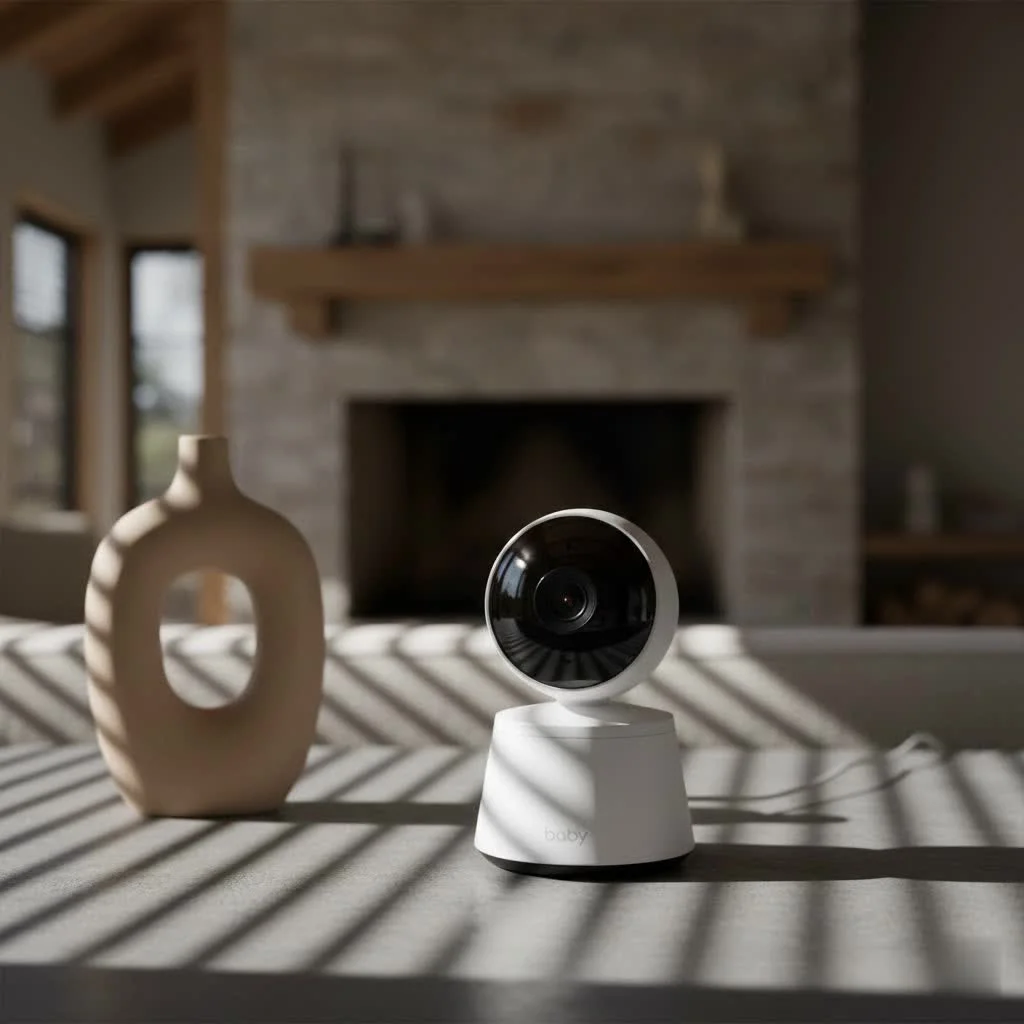
Why Parents Choose Eufy SpaceView: A Deeper Look at Its Core Features
The Eufy SpaceView is a meticulously crafted system designed with parental needs at its heart, offering an array of features that work in harmony to provide a seamless monitoring experience. For compare top smart baby on this site.
Crystal-Clear Vision: HD Video and Night Vision
One of the standout attributes of the Eufy SpaceView is its crisp 720p HD video quality, delivered on a generous 5-inch LCD screen. This clarity allows you to observe every tiny movement, sleepy smile, and little stretch your baby makes. When the lights go down, the monitor seamlessly transitions into black-and-white night vision, providing a clear and well-lit view of the nursery even in complete darkness.
Secure and Private Connection: The Power of FHSS
In an age where digital privacy is paramount, the Eufy SpaceView offers a reassuring solution. Unlike many Wi-Fi-enabled monitors that transmit video over your home internet, the SpaceView utilizes a Frequency Hopping Spread Spectrum (FHSS) connection. This dedicated, closed-loop system creates a highly secure and private link directly between the camera and the parent unit, eliminating the risks associated with internet-based monitoring, such as hacking or data breaches.
Beyond the Crib: Pan, Tilt, and Zoom Capabilities
The Eufy SpaceView camera boasts impressive remote-controlled pan and tilt capabilities, offering a 330° horizontal pan and a 110° vertical tilt. This extensive range allows you to sweep across the entire room, following a rolling toddler or ensuring every corner of the nursery is within view. Coupled with 1.5x and 2x digital zoom functions, you can get a closer look at your little one without disturbing their slumber. The original SpaceView also includes a handy wide-angle lens, expanding the field of view to 110 degrees.
Two-Way Talk and Temperature Monitoring
The Eufy SpaceView features two-way audio, allowing you to not only hear your baby but also to speak back to them, fostering a sense of connection. A built-in temperature sensor in the camera keeps you informed about the nursery’s climate, ensuring your baby is always in a comfortable environment. Many models also include built-in lullabies, adding another comforting element.
Extended Reach and Battery Life
|
Our Picks for the Best Baby Monitor in 2026
As an Amazon Associate I earn from qualifying purchases.
|
||
| Num | Product | Action |
|---|---|---|
| 1 | Baby Monitor with Camera and Audio, Video Baby Monitor No WiFi Night Vision 2.4\" LCD Screen Portable Baby Camera Monitor Alarm Lullaby Temperature Sensor and 1000ft, Ideal for Baby/Elderly/Pet |

|
| 2 | HelloBaby No WiFi Baby Monitor 5\" Screen 30-Hour Battery Pan-Tilt-Zoom Video Upgrade with Camera and Audio, Night Vision, VOX, 2-Way Talk, 8 Lullabies and 1000ft Range, HB6550 |
|
| 3 | HelloBaby 6\'\' World First IPS 30H Battery Split-Screen Video Baby Monitor with Camera and Audio, No WiFi, Pan-Tilt-Zoom, VOX, 2-Way Talk, Night Vision, 8 Lullabies, 1000ft, for New Parents/Elderly |
|
| 4 | HelloBaby 4.3\'\' Video Baby Monitor with 30 Hours Battery, Remote Pan-Tilt-Zoom Baby Monitor No WiFi, Baby Monitor with Camera and Audio, Night Vision, ECO Mode, Two-way Talk, 8 Lullabies, 1000ft Range |
|
| 5 | VTech Upgraded Audio Baby Monitor with Rechargeable Battery, Long Range, and Crystal-Clear Sound |
|
| 6 | HelloBaby Upgrade 5’’ Baby Monitor with 30-Hour Battery, 2 Cameras Pan-Tilt-Zoom, 1000ft Range Video Audio Baby Monitor No WiFi, VOX, Night Vision, 2-Way Talk, 8 Lullabies and Temperature |
|
| 7 | Baby Car Camera for Kids - 5\" 1080P IPS Suction Cup Monitor, 120° Wide-Angle & 360° Rotatable, IR Night Vision Easy Installation Backseat |
|
| 8 | Jartoo 2K 5.5\" Video Baby Monitor with Camera and Audio,AI Cry Detect 1860ft Long Range Baby Monitor No WiFi Baby Camera Wireless,Clear Night Vision,ANC, 2-Way Talk,White Noise,6000mAh [2025 New] |
|
| 9 | HelloBaby Baby Monitor 6\" World First IPS Screen 30H Battery, Secure No WiFi, Pan Tilt Video Camera with Night Vision, VOX, 2-Way Talk, 1000ft, Portable Video Audio Monitor Ideal for Mom, Elderly, Pet |
|
| 10 | VTech VM819 Baby Monitor with Camera and Audio, 2.8” Screen Portable Baby Camera, Night Vision, 2-Way Audio, Temperature Sensor and Lullabies, Secure Transmission No WiFi, Ideal for Baby/Elderly/Pet |
|
The Eufy SpaceView offers a transmission range of up to 460 feet, allowing you to keep an eye on your baby from various rooms without losing signal. The parent unit is equipped with a 2900mAh battery, providing up to 8 hours of continuous video streaming or 15 hours in power-saving (audio-only) mode.
Eufy SpaceView vs. SpaceView Pro: Which One is Right for Your Family?
Eufy offers two excellent options: the original Eufy SpaceView and the Eufy SpaceView Pro. While both deliver reliable, high-quality monitoring, there are key differences to consider.
At their core, both models utilize the same high-definition camera, offering the same pan, tilt, zoom, night vision, and two-way audio functionalities. The primary distinctions lie in the parent unit and its associated performance metrics.
Key Differences:
- Battery Life: The SpaceView Pro boasts a significantly larger 5200mAh battery, extending video monitoring time to approximately 12 hours and audio-only mode to an impressive 30 hours. This is a substantial upgrade from the original SpaceView’s 8 hours of video and 15 hours of audio.
- Signal Range: The Pro model also enhances the wireless range, reaching up to 1000 feet, compared to the original SpaceView’s 460-600 feet. This increased range is particularly beneficial for larger homes or if you need to monitor from your backyard.
- Monitor Design: The SpaceView Pro features a more durable, pyramid-shaped monitor without an external antenna or kickstand, making it less prone to accidental damage. The original SpaceView monitor has a kickstand and a retractable antenna.
- Included Accessories: The original Eufy SpaceView typically includes the valuable wide-angle lens adapter, which significantly broadens the camera’s field of view. The SpaceView Pro, however, often does not include this accessory. The SpaceView S is essentially the original SpaceView bundled with a crib mount.
Choosing between the two largely depends on your priorities. If maximum battery life and range are paramount, the SpaceView Pro is an excellent choice. If the wide-angle lens is a must-have out of the box, and the standard battery and range meet your needs, the original Eufy SpaceView remains a fantastic option.
Setting Up Your Eufy SpaceView: A Stress-Free Start
One of the most praised aspects of the Eufy SpaceView is its sheer simplicity when it comes to setup. You won’t be wrestling with complicated app installations or network configurations.
- Unbox and Charge: Begin by unboxing both the camera and the parent unit. Plug in the camera using one of the provided micro-USB cables and adapters. It’s recommended to fully charge the parent monitor before its first use, which typically takes a few hours.
- Plug and Play: The beauty of the Eufy SpaceView is that the camera and monitor usually come pre-paired from the factory. Once both units are powered on, the monitor should automatically display a live video feed from the camera within seconds. You might just need to set the language and time.
- Camera Placement: Consider where you’ll place the camera. The SpaceView comes with a wall mount, offering flexibility. Many parents also find a high shelf or dresser provides an excellent vantage point. the pan and tilt features mean you don’t need absolute precision in initial placement, but aim for a clear, unobstructed view of the crib or play area. For a wider view from a closer distance, to screw on the included wide-angle lens if you have the original SpaceView model.
Maximizing Your Eufy SpaceView Experience: Tips and Tricks
Getting the most out of your Eufy SpaceView goes beyond basic monitoring. Here are a few expert tips to enhance your experience:
- Leverage the Wide-Angle Lens: If your Eufy SpaceView came with the wide-angle lens, don’t underestimate its power. It’s incredibly useful for capturing a broader perspective of the nursery, especially as your child moves from a crib to a larger bed or if you want to monitor a wider play area. Simply twist it onto the standard lens for an expanded field of view.
- Master Sound-Activated Alerts (VOX): The VOX (Voice Operated eXchange) feature is designed to conserve battery and attention. You can set a sound sensitivity threshold on your monitor. When your baby’s sounds exceed this level, the screen will activate, and an alert will notify you. Adjust the sensitivity to filter out minor stirring noises and only be alerted to genuine cries or significant sounds.
- Consider Multi-Camera Setup: If you have multiple children or want to monitor different rooms, the Eufy SpaceView system is expandable. You can pair up to four cameras to a single parent unit, allowing you to cycle through different views or have a split-screen display on some models, ensuring you keep an eye on everyone.
Common Concerns and Simple Troubleshooting for Your Eufy SpaceView
Even the most reliable devices can sometimes encounter hiccups. Here are some common issues parents face with their Eufy SpaceView and straightforward troubleshooting steps.
“My monitor isn’t connecting to the camera!”
This is perhaps the most common concern.
- Power Cycle: The first step is always to perform a power cycle. Turn off both the monitor and camera, unplug them from their power sources, wait for 10-60 seconds, and then plug them back in and power them on. This simple reset often resolves minor connectivity glitches.
- Check Connections: Ensure all USB cables are securely connected to both the camera and the monitor, and to the power adapters. Try different power outlets or even different USB power adapters, as a faulty adapter can cause various issues.
- Re-synchronize: If power cycling doesn’t work, try manually re-pairing the camera with the monitor. Keep both devices close together during this process to ensure a strong connection. Consult your user manual for specific pairing instructions.
- Firmware Update: Occasionally, a firmware update can resolve underlying connectivity bugs. Check the Eufy support website for the latest firmware and instructions on how to update your specific model.
“The battery isn’t lasting as long as it used to.”
Over time, all rechargeable batteries can lose capacity.
- Aging Battery: If your monitor is several years old, the battery may simply be degrading. While Eufy does not typically offer user-replaceable batteries, contacting customer support for options might be helpful.
- Power-Saving Mode: Ensure you’re utilizing the power-saving mode (audio-only) when constant video isn’t necessary. This significantly extends battery life. Adjusting screen brightness to a lower setting also helps.
“Pink screen or camera movement issues.”
Some users have reported the camera showing a pink tint or exhibiting erratic panning.
- Power Adapter: A surprising number of these issues, including incorrect temperature readings or camera movement malfunctions, have been traced back to a faulty camera power adapter. Try swapping the camera’s power adapter with another working USB power brick you have on hand. Many parents have found this to be an immediate fix.
- Firmware: An outdated firmware version can also contribute to these software-related glitches. Ensure your device is running the latest firmware.
“Poor signal range.”
While Eufy SpaceView boasts a good range, environmental factors can interfere.
- Wireless Interference: Many household devices use the 2.4 GHz frequency band, which can cause interference. Try moving your monitor or camera away from other electronics like Wi-Fi routers, microwaves, or cordless phones.
- Obstructions: Walls, floors, and other building materials can significantly reduce the effective range. The advertised range is often for an open-air environment. Experiment with camera and monitor placement to find the optimal spots that minimize obstructions.
Expert Insights: What Makes Eufy SpaceView Stand Out
“In my ten years of guiding parents through the labyrinth of baby monitoring options, the Eufy SpaceView consistently impresses with its unwavering commitment to privacy and straightforward functionality,” shares Alex Mercer, a veteran childcare technology consultant. “While other brands chase every smart home trend, Eufy has perfected the essentials: clear video, reliable connection, and intuitive controls, all without compromising your family’s digital security. It’s a shows thoughtful engineering, providing genuine peace of mind where it matters most.”
Conclusion: Investing in Peace of Mind with Eufy SpaceView
Choosing a baby monitor is a significant decision for any parent. The Eufy SpaceView, with its crystal-clear HD video, secure FHSS connection, versatile pan and tilt features, and thoughtful additions like two-way talk and temperature monitoring, offers a compelling package for modern families. Whether you opt for the original SpaceView or the extended capabilities of the SpaceView Pro, you’re investing in a reliable, private, and easy-to-use system that keeps you connected to your little one. At Wocrt.com, we believe that empowering parents with the right tools fosters confidence, and the Eufy SpaceView undeniably delivers on that promise, making the journey of parenthood a little more peaceful, one watchful moment at a time.
Frequently Asked Questions (FAQ)
Is Eufy SpaceView a Wi-Fi monitor?
No, the Eufy SpaceView is not a Wi-Fi monitor. It uses a secure FHSS (Frequency Hopping Spread Spectrum) wireless connection, which creates a private link directly between the camera and the parent unit, requiring no internet or Wi-Fi.
What is the battery life of the Eufy SpaceView?
The original Eufy SpaceView parent unit offers up to 8 hours of continuous video streaming or 15 hours in power-saving (audio-only) mode. The Eufy SpaceView Pro provides an extended battery life of approximately 12 hours for video and 30 hours for audio-only monitoring.
Can I add more cameras to my Eufy SpaceView system?
Yes, the Eufy SpaceView system is expandable. You can pair up to four cameras to a single parent unit, allowing you to monitor multiple children or rooms from one device.
Does the Eufy SpaceView have lullabies?
Yes, many Eufy SpaceView models include built-in lullabies that you can play through the camera to soothe your baby remotely.
What is the main difference between Eufy SpaceView and SpaceView Pro?
The main differences are in the parent unit’s battery life, signal range, and physical design. The SpaceView Pro has a significantly longer battery life (12 hours video vs. 8 hours), greater range (1000 ft vs. 460-600 ft), and a more durable, antenna-free monitor design. However, the original SpaceView typically includes a wide-angle lens, which is often not bundled with the Pro model.
Frequently Asked Questions
Is the Eufy SpaceView a Wi-Fi baby monitor?
No, the Eufy SpaceView is not a Wi-Fi monitor. It uses a secure FHSS (Frequency Hopping Spread Spectrum) wireless connection, creating a private link directly between the camera and the parent unit without needing internet or Wi-Fi.
What is the battery life for the Eufy SpaceView parent unit?
The original Eufy SpaceView parent unit offers up to 8 hours of continuous video streaming or 15 hours in power-saving (audio-only) mode. The Eufy SpaceView Pro provides an extended battery life of approximately 12 hours for video and 30 hours for audio-only monitoring.
Can I connect multiple cameras to my Eufy SpaceView system?
Yes, the Eufy SpaceView system is expandable. You can pair up to four cameras to a single parent unit, allowing you to monitor multiple children or different rooms from one device.
Does the Eufy SpaceView include built-in lullabies?
Yes, many Eufy SpaceView models include built-in lullabies. You can play these through the camera to remotely soothe your baby to sleep.
What are the key differences between the Eufy SpaceView and SpaceView Pro?
The main differences are in the parent unit's battery life, signal range, and physical design. The SpaceView Pro has a significantly longer battery life (12 hours video vs. 8 hours), greater range (1000 ft vs. 460-600 ft), and a more durable, antenna-free monitor design. However, the original SpaceView typically includes a wide-angle lens, which is often not bundled with the Pro model.
Setting Up Your Eufy SpaceView Baby Monitor
Setting up your Eufy SpaceView baby monitor is a straightforward process that doesn't require complex app installations or network configurations.
Begin by unboxing both the camera and the parent unit. Plug in the camera using one of the provided micro-USB cables and adapters. It's recommended to fully charge the parent monitor before its first use, which typically takes a few hours.
The camera and monitor usually come pre-paired from the factory. Once both units are powered on, the monitor should automatically display a live video feed from the camera within seconds. You might just need to set the language and time.
Consider where you'll place the camera. The SpaceView comes with a wall mount, offering flexibility, or you can use a high shelf or dresser. Aim for a clear, unobstructed view of the crib or play area, and remember to attach the wide-angle lens if you have the original SpaceView model for a broader view.
Smart home that does not lock you in
Free PDF — protocol compatibility matrix for 30 hubs and devices.
I absolutely love our Eufy SpaceView! The 720p HD video is incredibly clear, even at night. I can actually see my baby breathing, which gives me so much peace of mind. The two-way talk feature is also super handy for soothing him back to sleep without having to go into the room.
This monitor is fantastic! The FHSS technology really makes a difference; I feel much more secure knowing our connection is private. It was super easy to set up right out of the box, and the 5-inch LCD screen is perfect for a quick glance. Highly recommend for any new parents.
The Eufy SpaceView is pretty good overall. The temperature monitoring is a nice touch, and the screen size is decent. My only real complaint is that the battery life on the parent unit could be better; I find myself charging it more often than I’d like. Otherwise, it’s a solid monitor.
We switched to the Eufy SpaceView after having issues with a Wi-Fi based monitor, and it’s been a game changer. The dedicated, secure connection is exactly what we needed for privacy. I appreciate not having to worry about internet dropouts or security breaches. The remote pan/tilt/zoom works great for keeping an eye on our active toddler.